Introduction & Installation
Welcome to FLIGHTSTRIPS. A program developed by VATSIM-Scandinavia for traffic management, automatic coordination and traffic flow optimization.
This user guide contains 10 Chapters outlining all you need to know to correctly operate all positions with FlightStrips within EKCH.

1.1 Download
FlightStrips is included with the Danish sector file package.
- There is no installation or download process as the program is web-based.
- There is no action in Plug-ins needed in Euroscope

1.2 Activation
When opening Euroscope the FlightStrips dialogue opens, prompting you to login if not already

The login is saved for ~30 days, and will only need to be revalidated if not utilized within that time.

1.3 Opening FlightStrips
Once login is complete, you have several options of how to open flightstrips
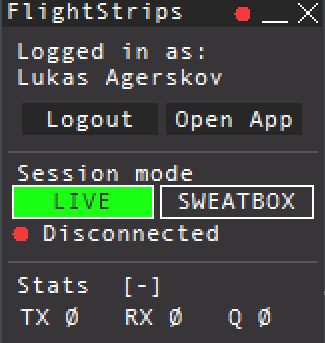
- select “OPEN APP” to open the Flightstrips window.
- Click on the FS app in your Euroscope folder
- Navigate to www.flightstrips.dk/app
If you have not yet logged into Euroscope, the FlightStrips connection will remain in standby
NOTE: You can always click CRTL+R to refresh the app

1.4 APP mode.
With Flightstrip open, you can choose “Open in APP” for the optimal aspect ratio of the program
