
Control Center
What isAbout Control Center (CC)?
Control Center (CC) is a web application used in VATSIM Scandinavia for training, mentoringmentoring, and bookings. This is the core of ourthe training operations where peoplestudents submit applications for ATC training, check the status of their training, read training reportsreports, and make bookings for positions online.
As a mentor you are required to keep the trainings you are responsible for up to date with training reports and internal comments when necessary. You can send requests directly to training staff here as well for different actions.
AtMentors thiswill pointbe you should already have been given moregranted access as a mentor in CC. If not,you talkdo tonot have the Trainingaccess Assistantyou orthink Trainingyou Manager.should have, contact training staff.
Control Center is open source and available on GitHub. If you find a bug or have an idea for a good feature, feel free to create an issue there.
Section: My Students
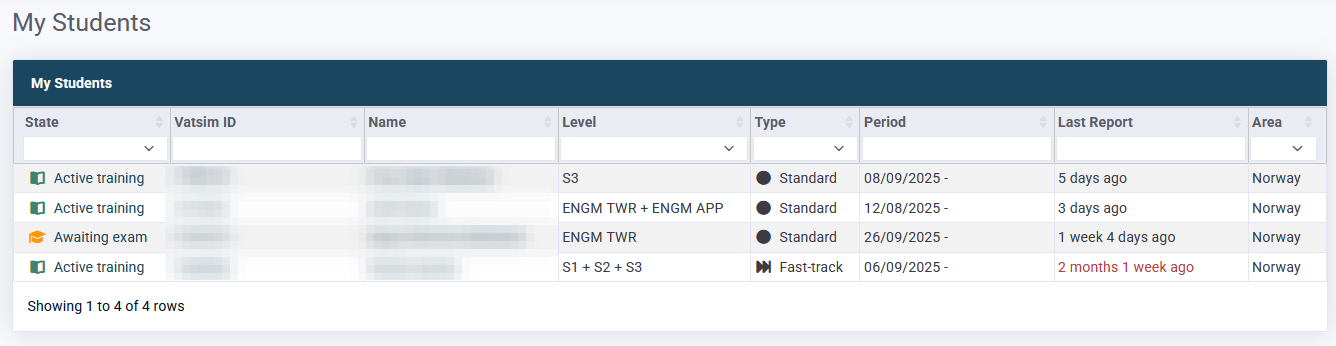
This page has an overview of all students currently assigned to you as a mentor.
Clicking the training state will open the full training page.
Note in particular that the "Last Report" field will turn red if it passes 2 weeks as a reminder for you to either publish a missing report or notify training staff that the student hasn't arranged a session in accordance with Student Training Policy.
The same overview is also embedded on the front page of CC.
Section: Training
Student information
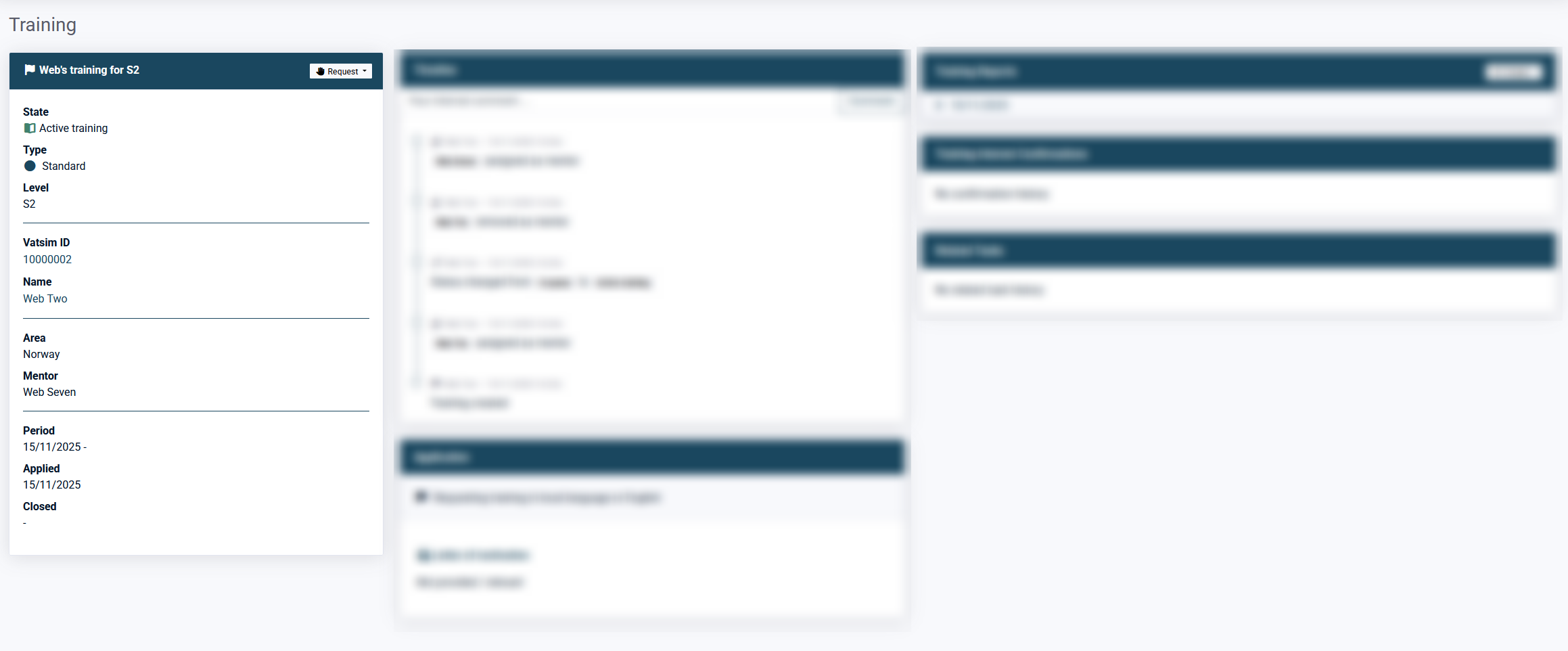
In this module you will have access to relevant information about the student and the training. Additionally there is a button for requests that is covered in the section below.
Requests
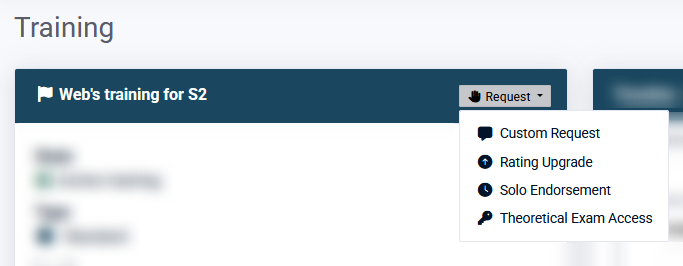
From the same modulemodule, you as a mentormentors can send requests to training staff. This will create a task in CC for the person you send the request to and theynotify will be notifiedthem by e-mail.
Custom request
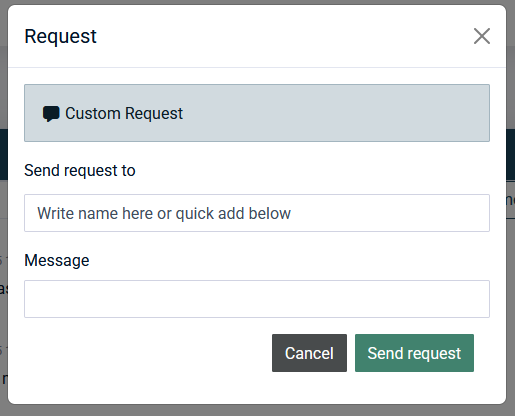
Can be used for almost anything. It is a free text field.
Typically used to request solo for T1 trainings, complete refresh trainings, pause trainingstrainings, etc.
Solo endorsement
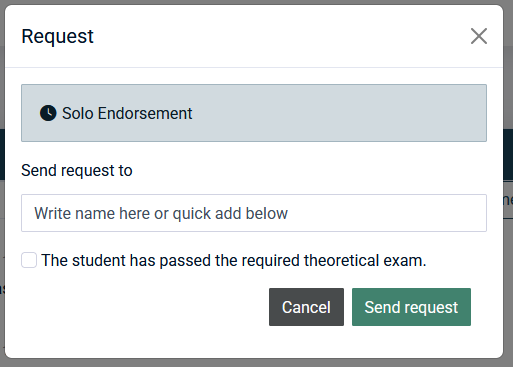
Sends a request to issue a solo endorsement for the student. Note that the relevant theoretical exam must be issued and passed before a solo endorsement can be given.
Rating Upgrade
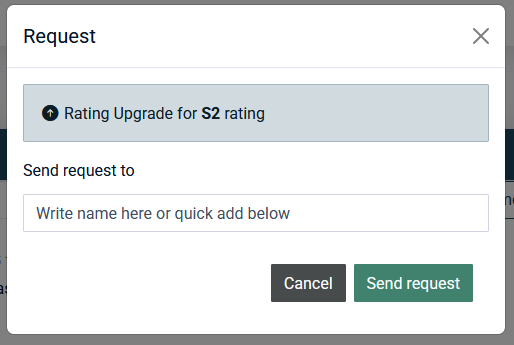
Usually not used by mentors, but can be used to request a formal rating upgrade in case a training is completed and there is no need for an exam.
Rating upgrades are mainly requested by examiners.examiners after CPTs.
After a T1/T2 Validation, contact training staff or use a custom request as these trainings do not require a formal rating upgrade.
Note for staff: T1/T2 Endorsements will be issued automatically when marking a training request as complete.
Theoretical Exam Access
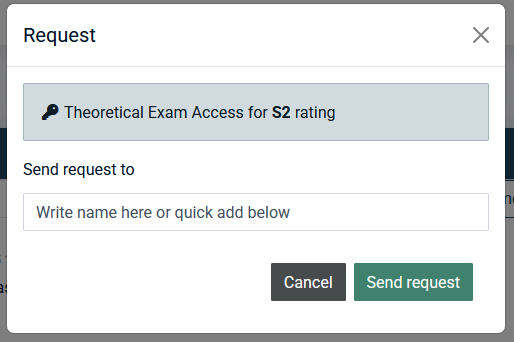
Requests to issue the theoretical exam for the student from VATEUD.
Timeline
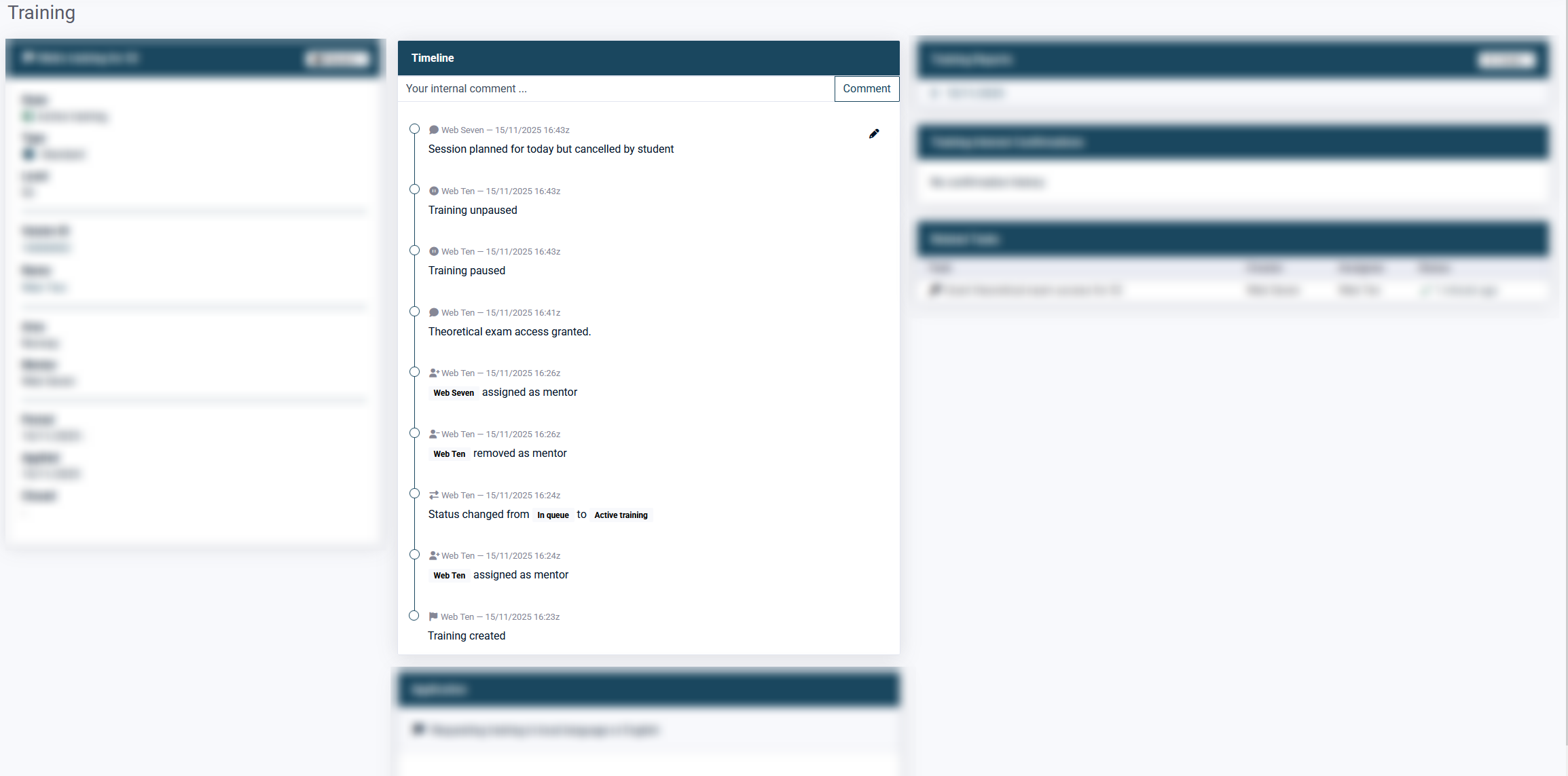
This section is where most events for the training is shown fromfrom, with the most recent toevents old.on top.
Internal comments
Training staff and mentors can add internal comments to the timeline, as shown above. These are NOT visible to the student, but should be limited to concise and relevant information regarding the training.
Use these comments to keep training staff informed about the training, for example if there will be slightly more than 2 weeks between sessionssessions. In this case a short explanation in the timeline is very useful. This way the training staff spendsspend less time following up individual trainingstrainings. andFor mentorsmore spendssubstantial lessissues timeor onconcerns, answeringcontact thesetraining questions.staff directly.

Example of a good and informative internal comment.comment:
Training Reports
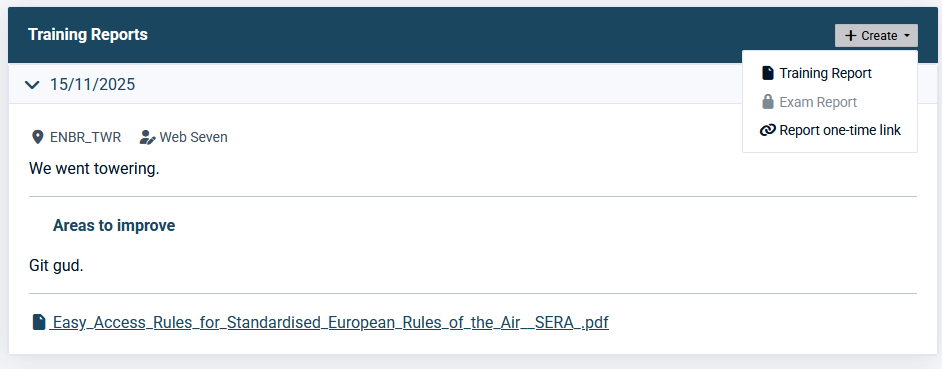
This section shows all historicaltraining reports for a certain training reports,request. whichEach report can be expanded by clicking the date. This is also where you create new training reports from the "Create" menu in the top right corner.
If another mentor had a session with your student you can use the "Report one-time link" and send it to the mentor which will allow them to submit a single training report onfor the training.
The Training reports page contains guidelines and additional useful information.
Training Interest Confirmations
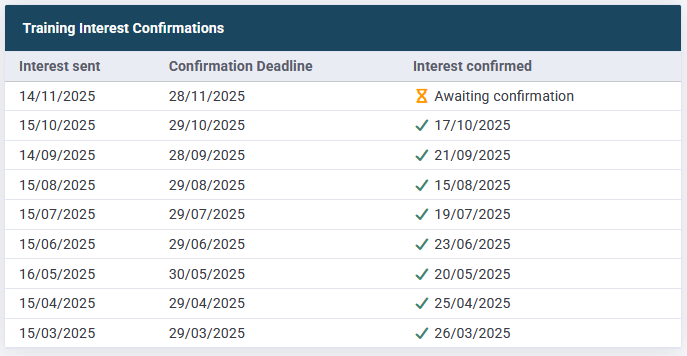
This section shows the history for all training interest confirmation e-mails sent out to the student with the dates forthey were sent, deadlinedeadline, and when they were confirmed.
As seen above, unconfirmed interest e-mails will be shown as well.
E-mails to confirm training interest isare sent out to trainings with state "In queue" and "Pre-training". Hence,Students with trainings thatmakred areas "Active training" will not receive these.these e-mails.
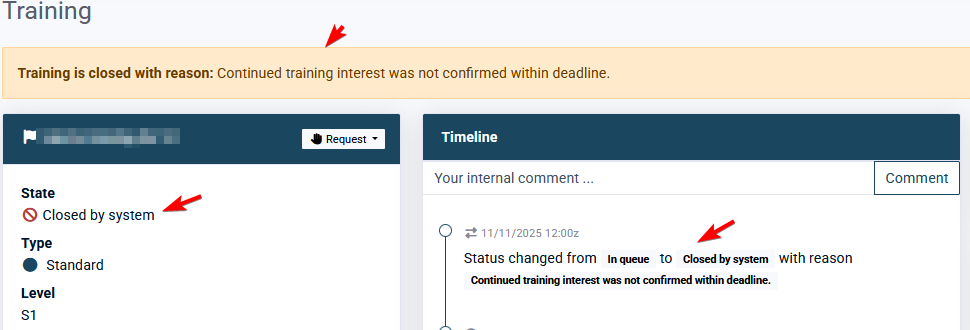
The training will be automatically closed if the interest is not confirmed within the deadline.
[ ](https://wiki.vatsim-scandinavia.org/uploads/images/gallery/2026-01/image-1769530287057.png
Related Tasks
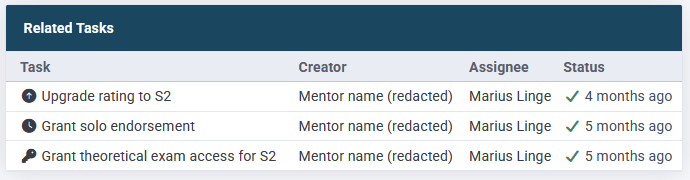
This section shows all tasks (requests) for the training and their status.
Section: Sweatbox Calendar
The Sweatbox Calendar is a simple way to keep our use of Sweatbox somewhat organised and ensure that sessions don't collide and create issues for each other. It is internal to our vACC and does not propagate to any other systems.
Existing bookings

In the main section each booking is shown with start and end time, position, the corresponding FIR and which mentor booked it. Additionally there is a notes field.
Creating a Sweatbox booking
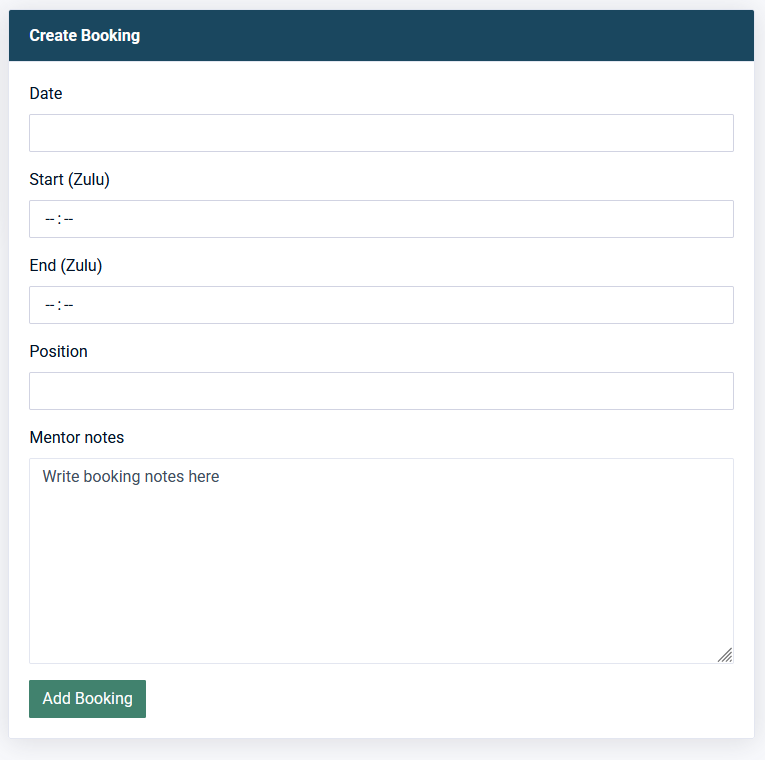
IfThis youis havealmost createdidentical to creating a regular ATC booking,booking.
Under "Mentor Notes", write which type of training is almostbeing identical.
done Fillor outwhich theSweatbox formserver -will itbe isused veryif selfthere explanatory.are conlficts with other training sessions.