
TE+TW - Operation
1. General Overview
Used by: EKCH_A_TWR, EKCH_D_TWR
Similar scopes: TWR+GND (used for combination of TW+TE+GW+GE+AD+AA).
General Design
Column 1 (ARR) | Column 2 (DEP) | Column 3 (SU+PUSH) | Column 4 (PLANNED DEP) | |
MESSAGES | DE ICE V | STARTUP | SAS | |
FINAL | DE ICE B | |||
(UPR) TWY DEP | ||||
RWY ARR | PUSHBACK | NORWEGIAN | ||
(LWR) TWY DEP | ||||
TWY ARR | OTHERS | |||
TASK BAR | ||||
TW+TE is the common denominator for TWR ARR and TWR DEP, depending on the Runway configuration. The scope is identical, with only strip ownership being different from the two owners.
TW (Tower West) will in normal configurations be the western most RWY. TE (Tower East) most eastern RWY.
Refer to LAI Kastrup TWR for RIU configurations and TE/TW Designations
2. Procedures [TOWER DEP]
Use of De-Ice A
Refer to GW+GE chapter for use of DE-ICE and DE-ICE A.
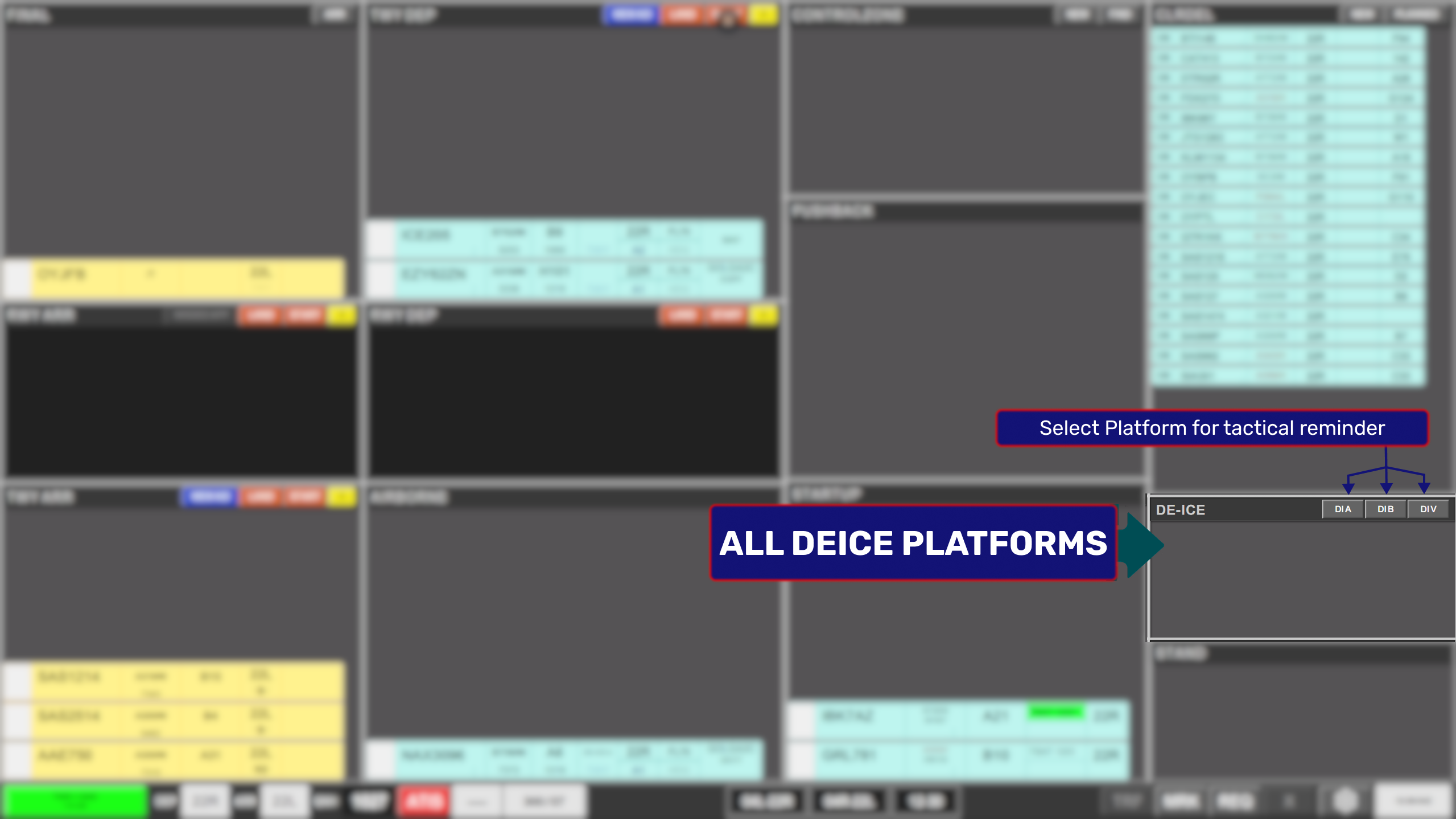
TWR+GND De-ICE
For TWR+GND configuration all De-Ice platforms are combined under one bay, which substitutes the LANE tactical marker for a DIA/DIV/DIB tactical marker to keep track on who has gone where.
Assigning Takeoff Clearance
Aircraft associated with taxiing, taking off or landing on an active takeoff runway must be in the RWY DEP bay
To issue a takeoff clearance, the “Takeoff Clearance Marker” must be clicked for the system to sense a takeoff clearance has been granted.
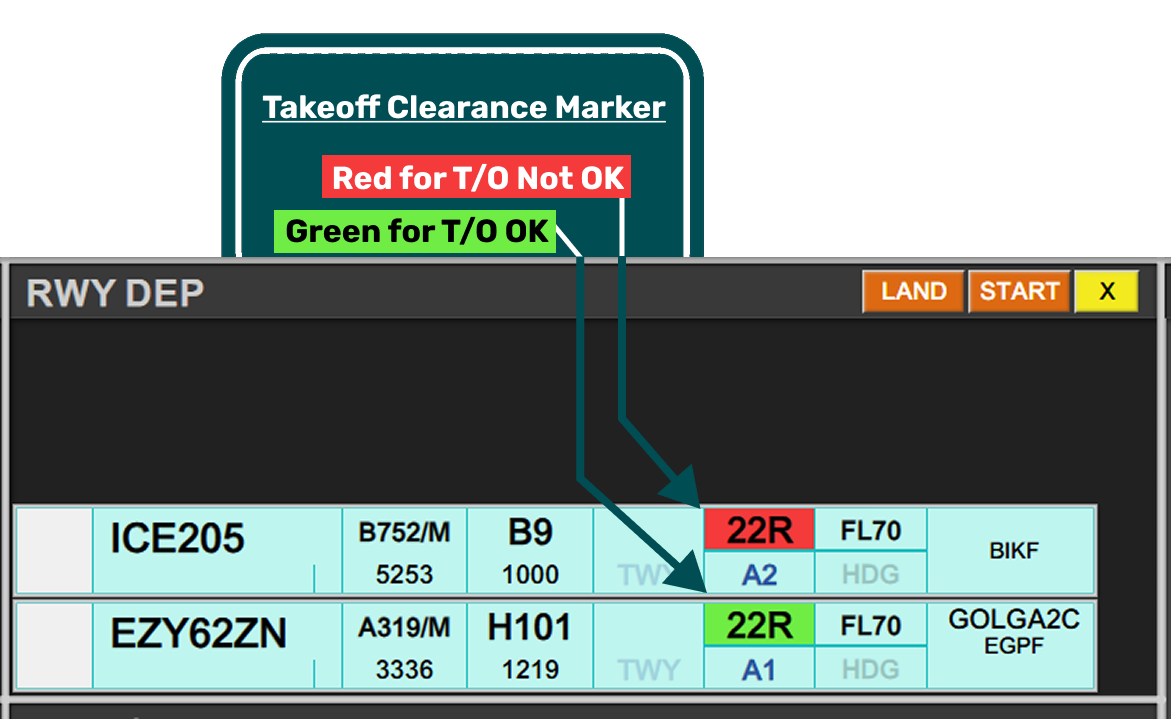
Operation of "Takeoff Clearance Marker" is done by clicking on the RWY field of the expanded taxi-out strip. Clicking on this field, will automatically move the strip to the RWY DEP bay if not already in such bay.
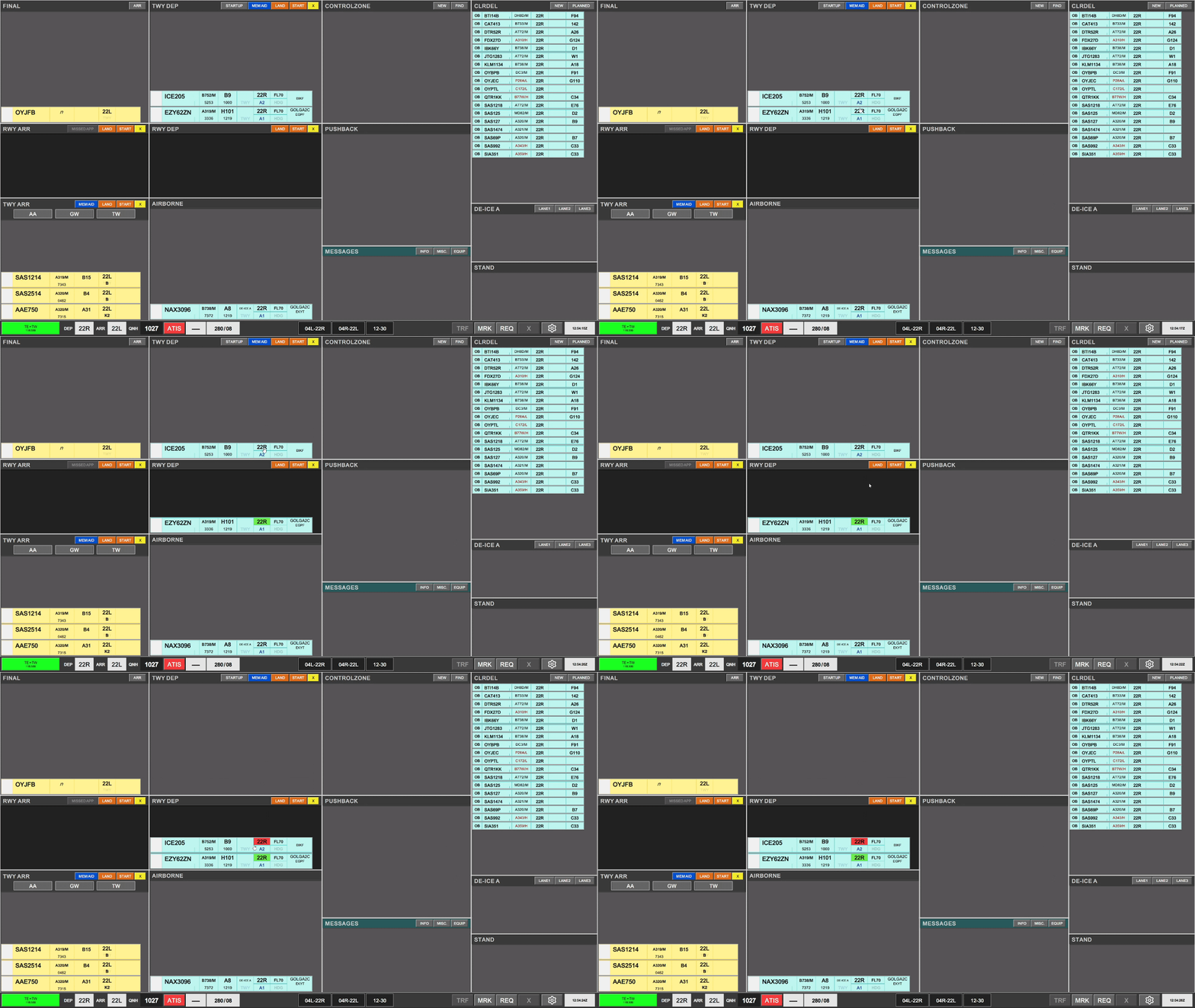
Additionally the color return of that action determines if a takeoff clearance is appropriate or not.
- A Green color return, indicates a takeoff clearance is appropriate.
- A Red color return indicates a takeoff clearance is inappropriate.
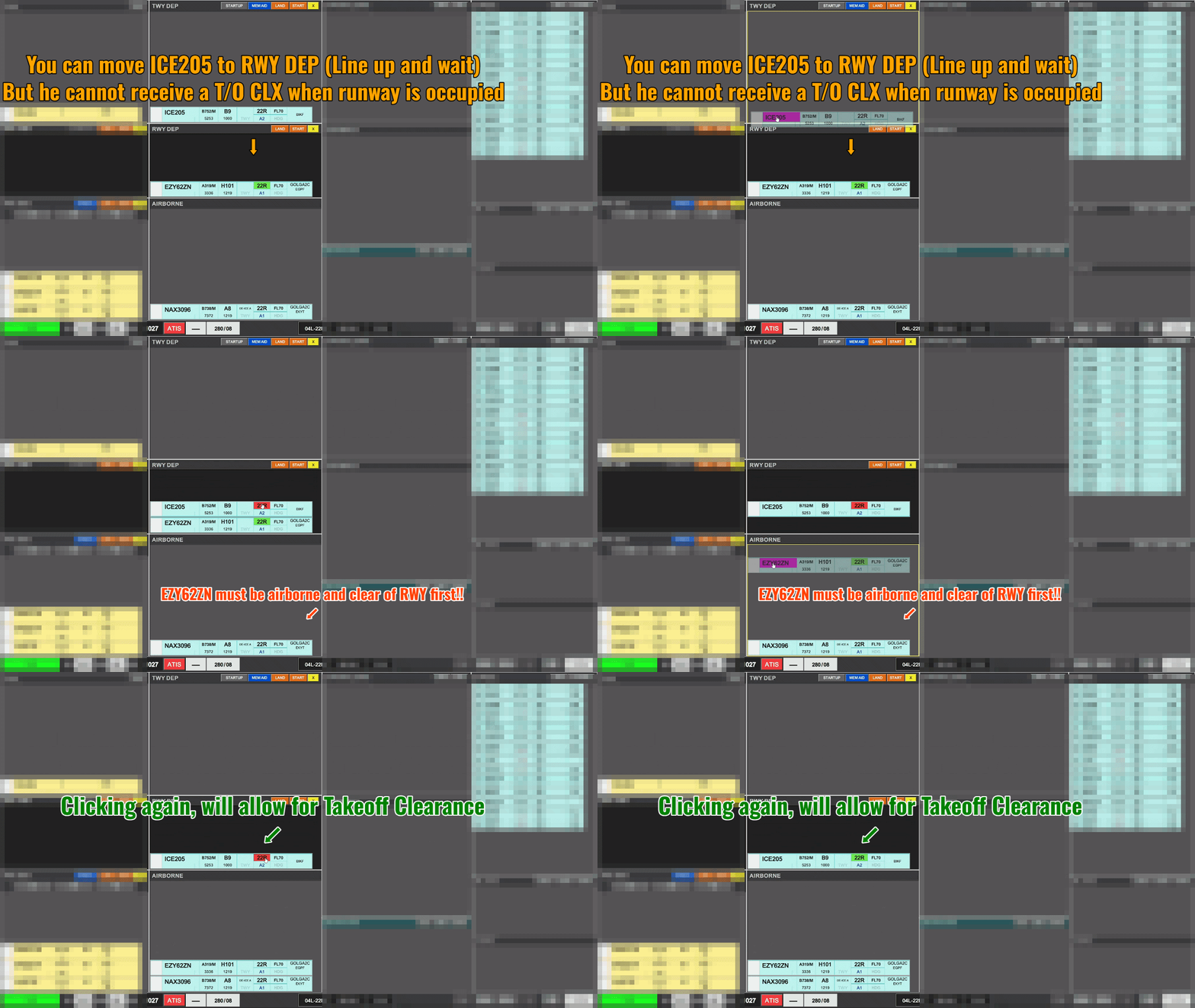
There can only be ONE green color return in RWY DEP bay at a time (one takeoff clearance) If attempting to mark another aircraft for takeoff in such a case will result in a red color indication.
Once previous aircraft has left the RWY DEP bay (AIRBORNE), clicking again on the RWY field (with out without a red color indication), will allow designation of takeoff clearance and subsequent green color return of strip.
Airborne departures
Aircraft should automatically contact Kastrup Departure when airborne. In case pilot asks for frequency, it is provided in the strip, subject to actual configuration of online departure controllers and cross coupled frequencies.
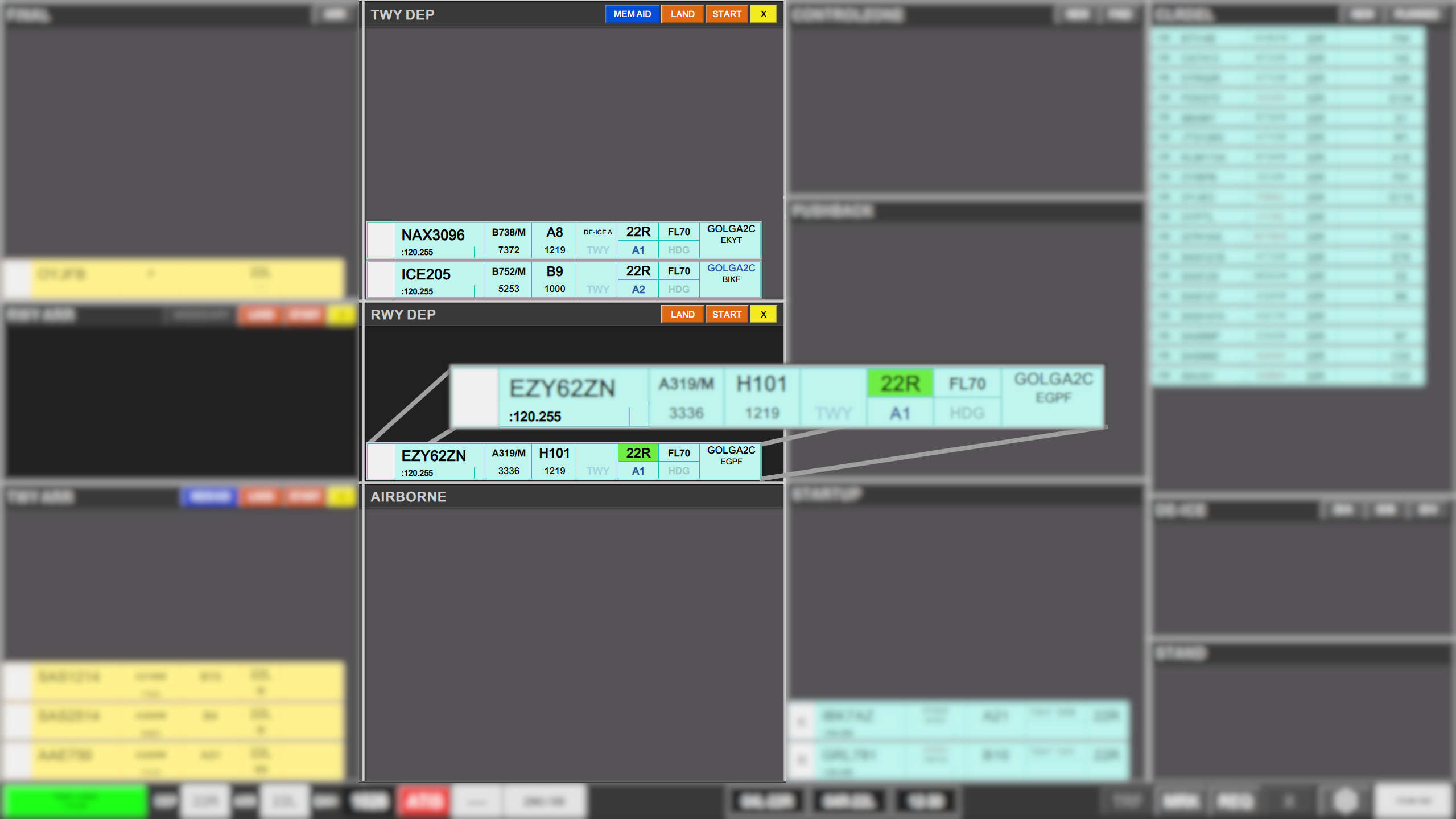
FlightStrips will know if DEP FREQ are CROSSCOUPLED with APP online. You can trust the frequency shown
An aircraft will automatically move to AIRBORNE bay, when passing opposite RWY threshold and COOPANS return indicating a climb at an altitude of 50ft or above.
An automatic transfer will be initiated to the departure frequency described in the strip. Once the tag is assumed in COOPANS by departure controller, the strip will indicate a successful transfer by appearance of Orange color. Strip will subsequently disappear from existence.
If aircraft does not automatically move into AIRBORNE bay, a manual movement from RWY DEP bay can be done, which will also prompt an automatic transfer.
Landing aircraft on Departure Runway
In case a landing aircraft is inbound to the departing runway, one of two actions can be executed.
- Place a LAND tactical strip in the RWY DEP bay, and leave the strip in the FINAL or RWY ARR bay
- Useful if aircraft is on the other TWR frequency.
- Assume the arrival strip from FINAL bay and physically place it in RWY DEP bay
- Only possible when you are talking to the aircraft
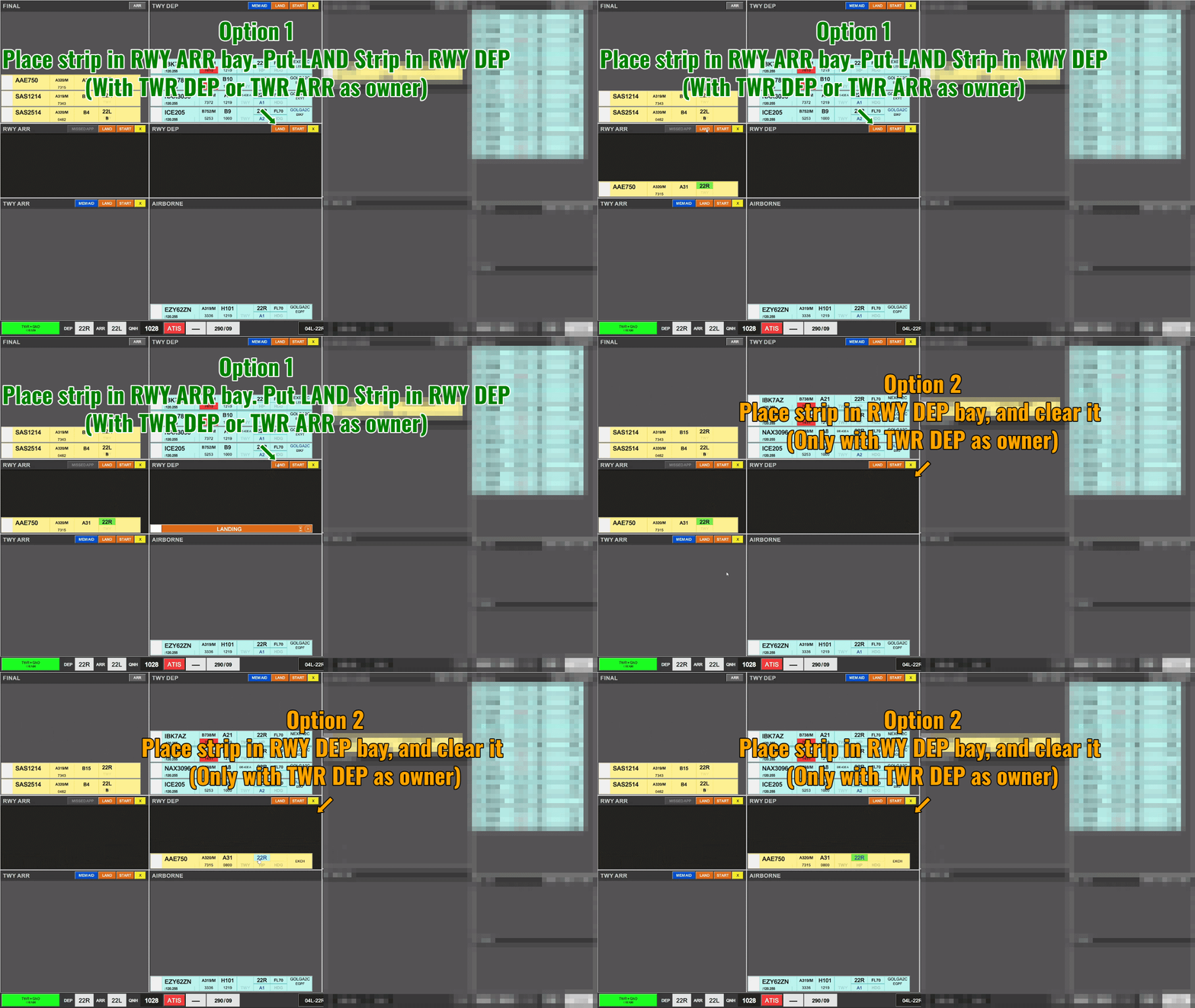
Either way a marker of some sort (either STRIP or LAND) must be placed in the RWY DEP bay if that RWY is to be occupied by an arriving aircraft.
Crossing aircraft on Departure Runway
Aircraft crossing a departure runway is a frequent occurrence when operating 04R/04L given the need for cargo aircraft to cross 04R
When the crossing requirement is apparent, TWR DEP may place the crossing strip at a convenient location. GW may also choose to place this strip, but should not place it as the lowest strip in the RWY DEP bay.
Either station can click to FORCE ASSUME the tactical strip to indicate the space where aircraft can be crossed.
- Placing a crossing strip BELOW an aircraft indicates the crossing is ahead of the departure.
- Placing a crossing strip ABOVE an aircraft indicates the crossing is behind the departure.
- Placing a crossing strip BETWEEN two aircraft indicates the crossing in between the two deparures.
Once the crossing has been completed, either entity may FORCE ASSUME and Delete the strip.
3. Procedures [TOWER ARR]
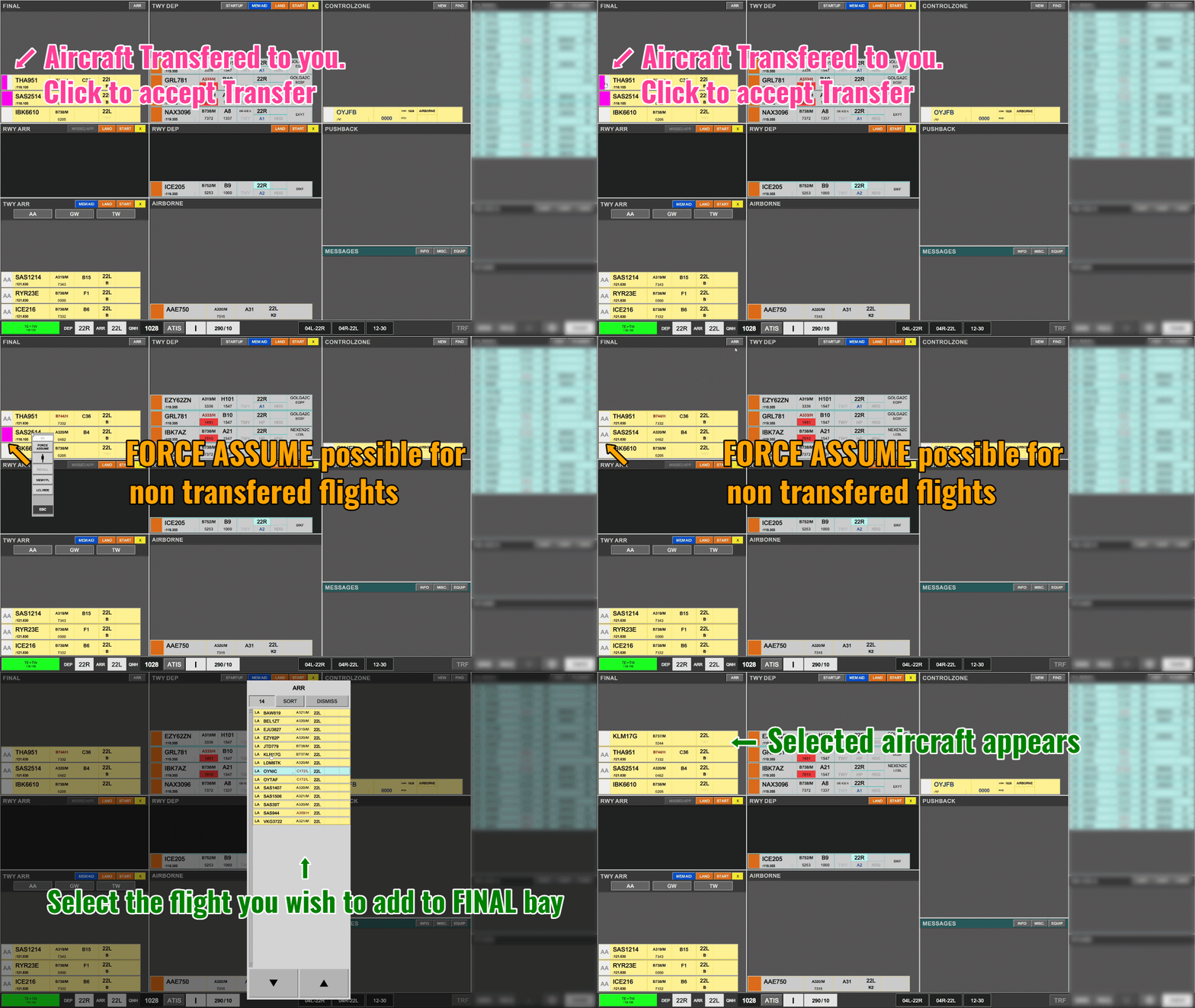
Handover from FINAL
- Arriving aircraft are handed over from FINAL in the FINAL bay.
- An aircraft not handed over can be FORCE ASSUMED by TWR ARR.
- An aircraft not in the FINAL bay can be found by clicking ARR in the bay header and selected.
Assigning Landing Clearance
To issue a landing clearance, the “Landing Clearance Marker”Marker” must be clicked for the system to sense a takeoff clearance has been granted.

This is done by clicking on the RWY field of the strip in the FINAL bay. Clicking on this field, will automatically move the strip to the RWY ARR bay if not already in such bay. Additionally the color return of that action determines if a takeoff clearance is appropriate or not.
·
- A Green color return, indicates a landing clearance is appropriate.
· - A Red color return indicates a landing clearance is inappropriate.
There can only be ONE green color return in RWY ARR bay at a time To Each Runway If attempting to mark another aircraft for landing in such a case will result in a red color indication.
Once previous aircraft has left the RWY ARR bay, clicking again on the RWY field (with out without a red color indication), will allow designation of takeoff clearance and subsequent green color return of strip.
A landing clearance can be retracted by clicking on the green “Landing Clearance Marker”Marker” removing the color return of the strip.
Assigning a Go Around
If an aircraft has to go around, a controller must perform following actions:
1.
- Click on Aircraft
2. - Clicking on “MISSED APPROACH” button in the RWY ARR bay header
3. Observe strip:
a.
- Moving to AIRBORNE bay
b. - Initiating a transfer
c. - Observe correct frequency (119.805 for 04L, 118.455 for 22L)
- Moving to AIRBORNE bay
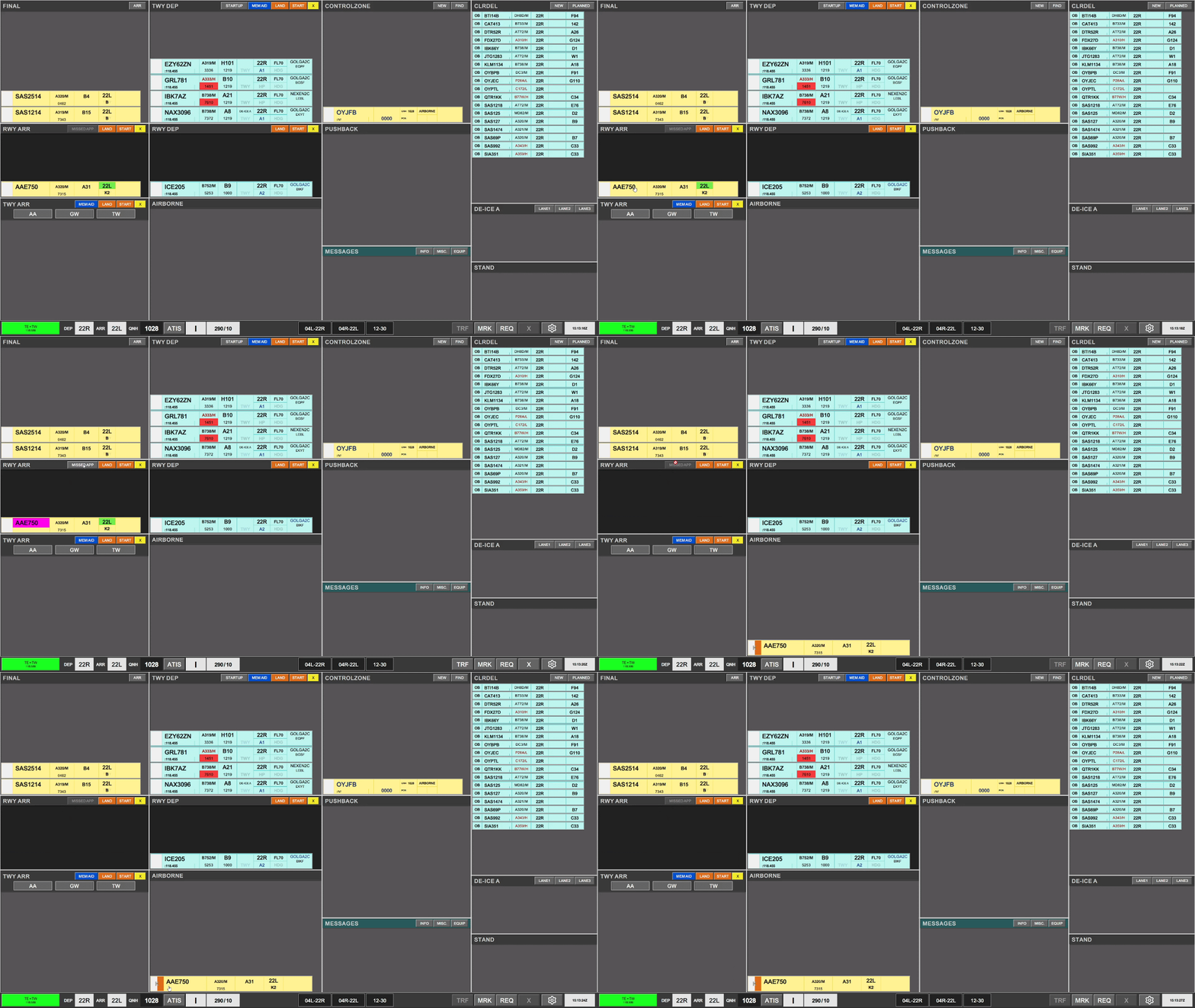
If all these steps have been followed there is no need to further coordination as the missed approach is automatically prompted to APP Copenhagen.
An aircraft is automatically moved back to FINAL bay once COOPANS tag is assumed by APP Copenhagen.
Taxi-in instructions.
One an aircraft is no longer on the RWY, the strip is automatically removed from the RWY ARR bay and placed into the TWY ARR bay.
Strip is already provided with a default HS point, in accordance with the handover points of the LAI
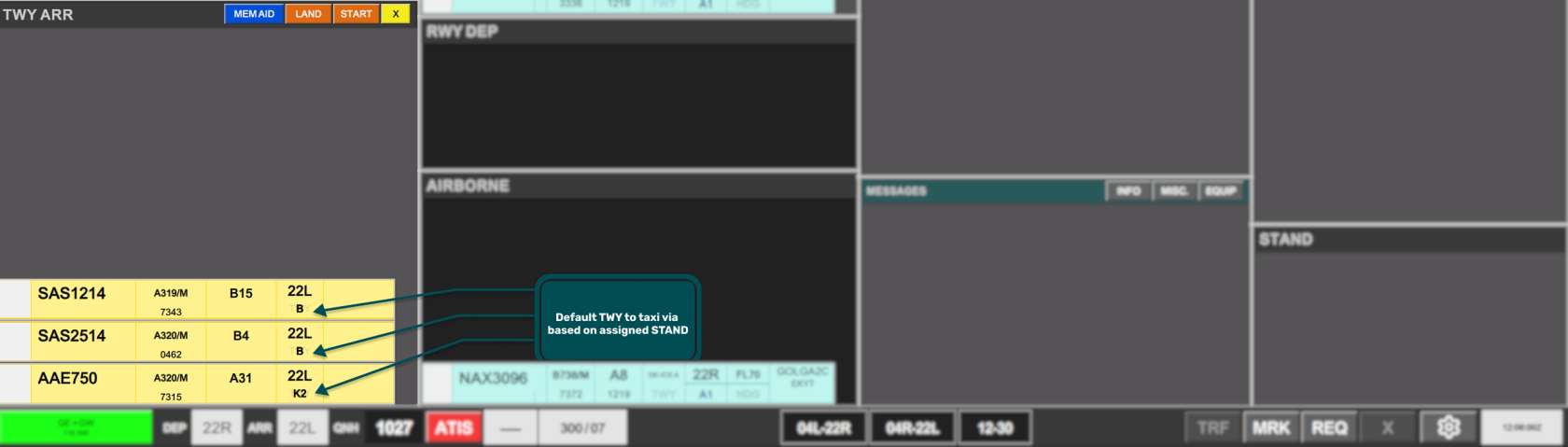
Example of this is K3 appearing per default in aircrafts to A4-A23, for GW offline. C is produced for GE Online.
Just like APRON DEP, Tower has a special menu for assigning ownership to other controllers. It looks a little bit different than the one for apron, but essentially does the same.
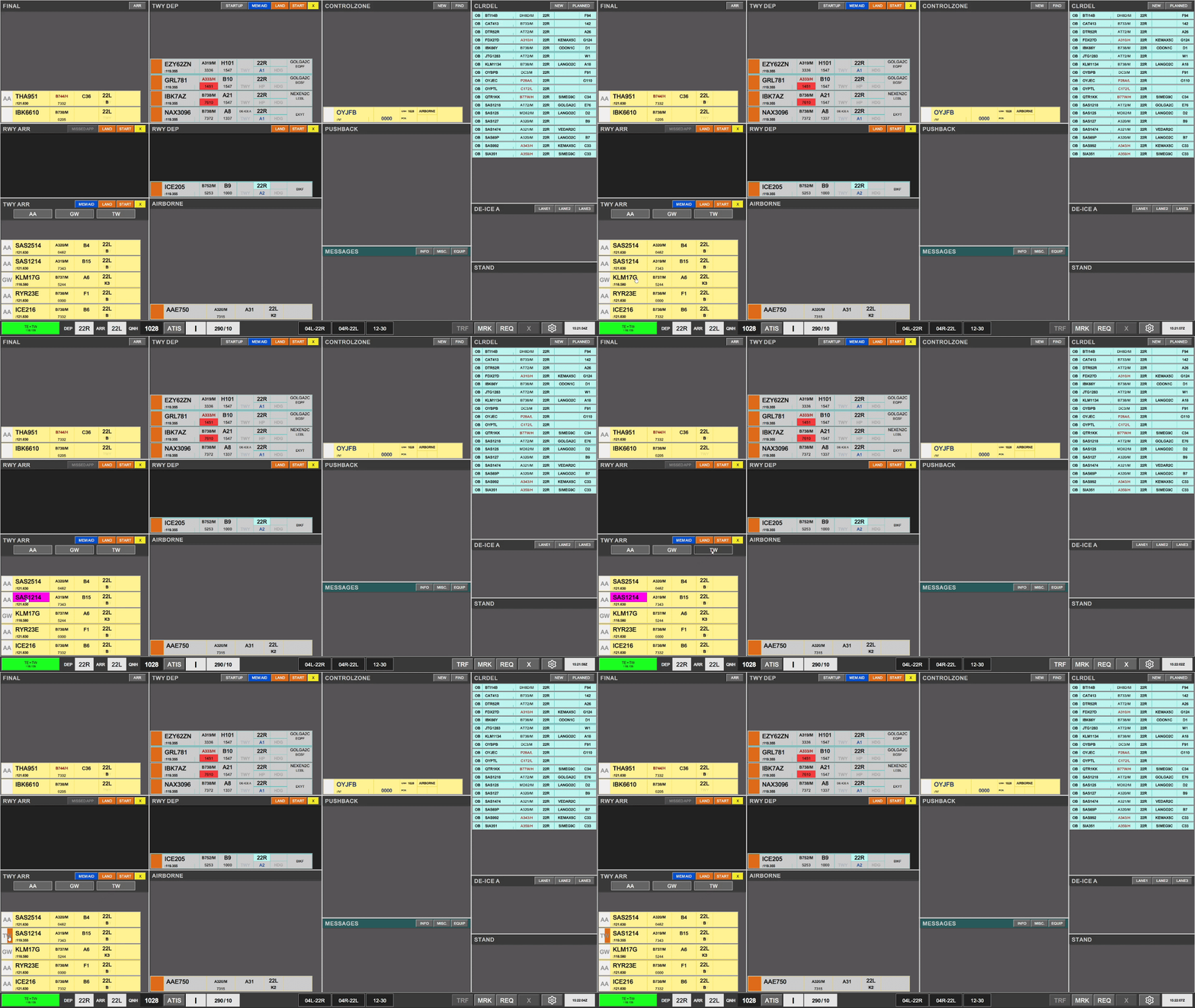
Coordination between TW+TE and GW+GE
Use of the RTI feature is available:
·
- From
GW+GEAPRON ARR / GW/ TW forinboundall strips. (Towards TWR ARR) - Towards GW / GE / APRON DEP (From TWR DEP).
Refer to Chapter X for explanation of the Coordination via RTI