
Chapter 1 - Getting Started
Welcome to FligthStrips

TABLE OF CONTENT
Basic PhilosophyInstallation and Activation

1 Basic Philosophy
FlightStrips is a program design to aid controllers in Copenhagen. It is not a gimmick it is as:
- Traffic Organization tool
- Coordination platform
- Flow mangement program
It is a vital program to run, to ensure a smooth session, especially with several controllers online.
FlightStrips is a mandatory requirement when sitting on a ground position in EKCH
1.1 Traffic Organization Tool
Flightstrips build itself on its real life counterpart, and is build around the old paper strip system, digitalized and optimized for use at Copenhagen Airport.
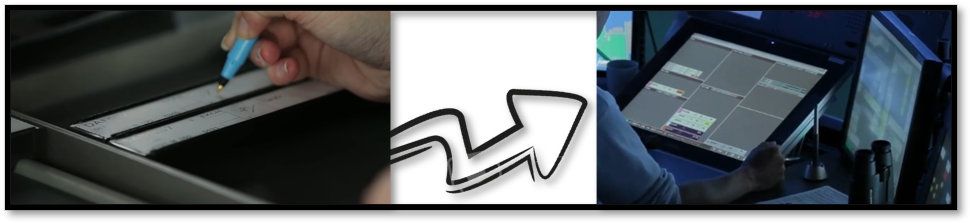
FlightStrips consist of a selection of "Scopes" specifically designed for each station, and its responsibilities, based either on Geopgraphical location of the position (TWR), or the Area of Responsibility (GND+DEL).
within each of these "Scopes" are a number of "bays" present each designed to mark the phase of flight the aircraft is currently is. These phases can be:
- Planned Departures
- Pushbacks
- Taxi-outs
- Takeoffs
- Airborne flights
- Flights on final
- Taxi-ins
The list in not exhaustive and is carefully tuned for any and all scenarios we can encounter on VATSIM.
As a controller you must manipulate these flights in and out of their respective bays, and onwards to other controllers, when you contact with them terminates.
FlightStrips is configured to work in tandem with Euroscope, managing STATES and OWNERSHIP of flight!!
1.2 Coordination Platform
Flightstrips fills the gap in lieu of the absense of COOPANS, the usual tool for airborne controllers to coordinate.
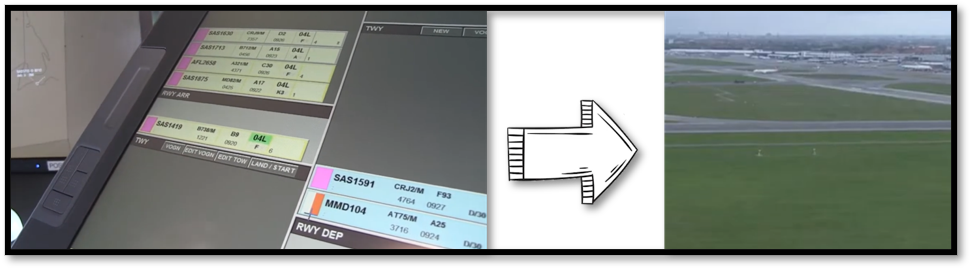
FlightStrips consist of various coordination tools, to ensure each flight is appropriately tracked by controllers. Coordination is at the very heart of FlightStrips, to work in an environment where we are not sitting next to eachother.
Coordination features includes
- Transfer, Assume and Ownership status of the flights through ownership of strips
- Tactical instruction and non-standard taxi coordination
- Direct messages, and memory aids to other controllers
- Tactical requests through helper strips for crossing, landing and departing traffic on non-standard runways.
- Automatic Go-Around coordination intergrated with COOPANS.
The list in not exhaustive and is carefully tuned for any and all scenarios we can encounter on VATSIM.
1.3 Flow Management Program
Flightstrips allows through its user interface to sequence traffic, manage startup times and direct intergration with CTOTs.
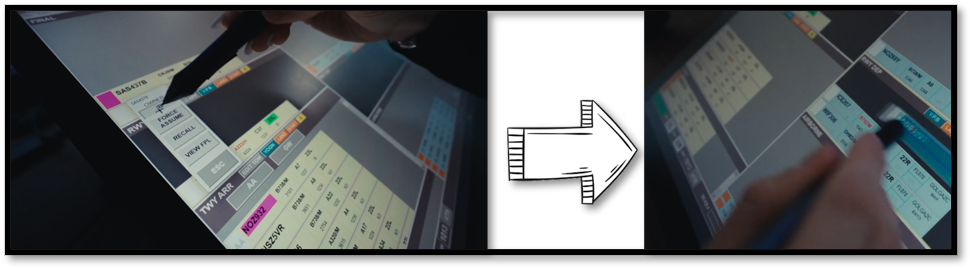
Automatic intergration with most of the plugins of Euroscope, Flightstrips allows you to take advantage of managing all phases of flight within the scope.
This includes features such as:
- CDM and vIFF intergration
- ECFMP mandatory routing intergration
- VACS intergration
- StopBars intergration (in progress)
- GSX stand/pushback intergration (in progress)
The list in not exhaustive and is carefully tuned for any and all scenarios we can encounter on VATSIM.
2. Installation & Activation
FlightStrips is included with the Danish sector file package.
- There is no installation or download process as the program is web-based.
- There is no action required in Euroscope to activate the plugin.
1.1 Activation
When opening Euroscope the FlightStrips dialogue opens, prompting you to login if not already.
You need to be logged in to your VATSIM account to access FlightStrips. Do this by
- Press "Login"
- Login to your VATSIM Account
- Observe your user is shown in the login menu (highlighted in red below)
- Connect to Euroscope AND select appropriate primary frequency.
- Observe you are connected (There may be a "syncronization period as well")
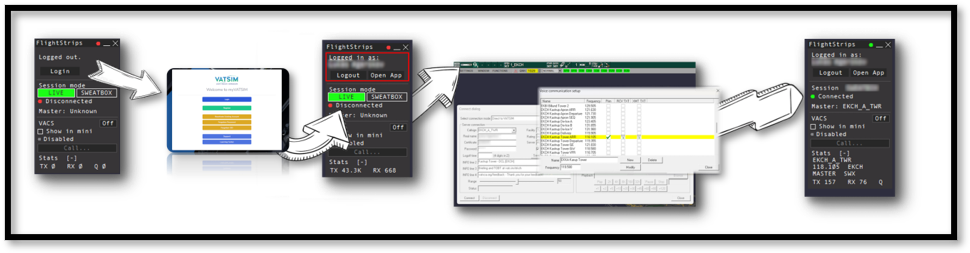
The login is saved for ~30 days, and will only need to be revalidated if not utilized within that time.
1.2 Opening FlightStrips
Once login is complete, you need to press "Open App" in the Flightstrips window.
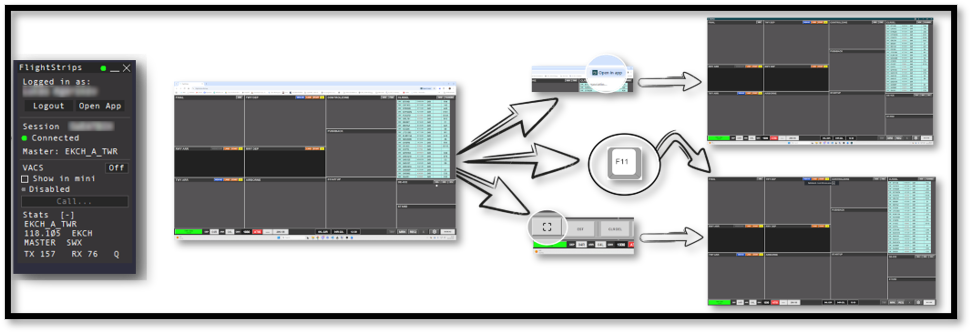
The App will open in your default browser window.
To optimize usage of Flightstrips, we recommend a dedicated screen and window for the program. do this by:
- Press "Open in App" in the top right of your browser.
- Enter fullscreen mode by clicking on the icon in the left borrom corner of FligthStrips.
- Press F11 or other appropriate fullscreen shortcut (depending on your browser).
You can at all times access FligthStrips via the website www.flightstrips.dk/app
FlightStrips is optimized for 16:9 displays, and will work to its fullest potential in a fullscreen mode on that ratio.