
Chapter 9 - GW+GE Operation
Containing Description, Operational Procedures and Submenus of the scope called GW+GE............

TABLE OF CONTENT
General OverviewProceduresCoordination

1. General Overview
- Scope name: GW+GE,
- Used by: EKCH_GW_TWR, EKCH_GE_TWR
Column 1 (ARR) | Column 2 (DEP) | Column 3 (SU+DEICE) | Column 4 (PLANNED DEP) | |
FINAL | PUSHBACK1 | STARTUP1 | CLR DEL | |
TWY DEP2 | ||||
RWY ARR | DE-ICE A | |||
TWY ARR3 | ||||
RWY DEP | MESSAGES | |||
AIRBORNE | ||||
STAND1 | ||||
TASK BAR | ||||
1: To be used for Apron W/S/E inbounds, terminated by GW
2: Only aircraft placed in LWR TWY DEP bay from APRON DEP is visible here
3: Aircraft handed directly to APRON ARR from TE during 22L ops, will remain as gray strips
Apron West/South/East
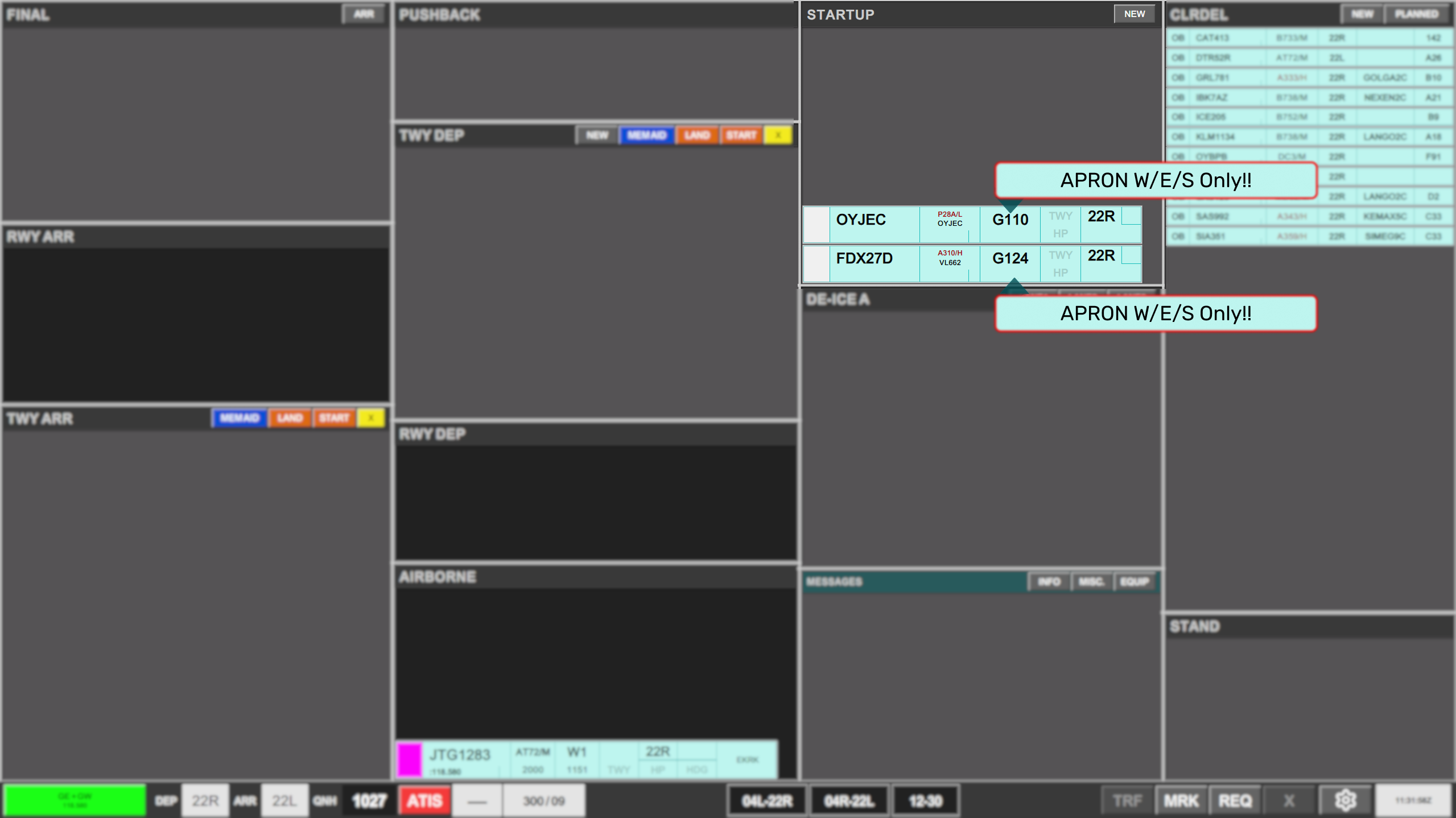
With any apron controller online, all startups from Apron North are automatically filtered away, leaving only relevant strips for startup approvals.
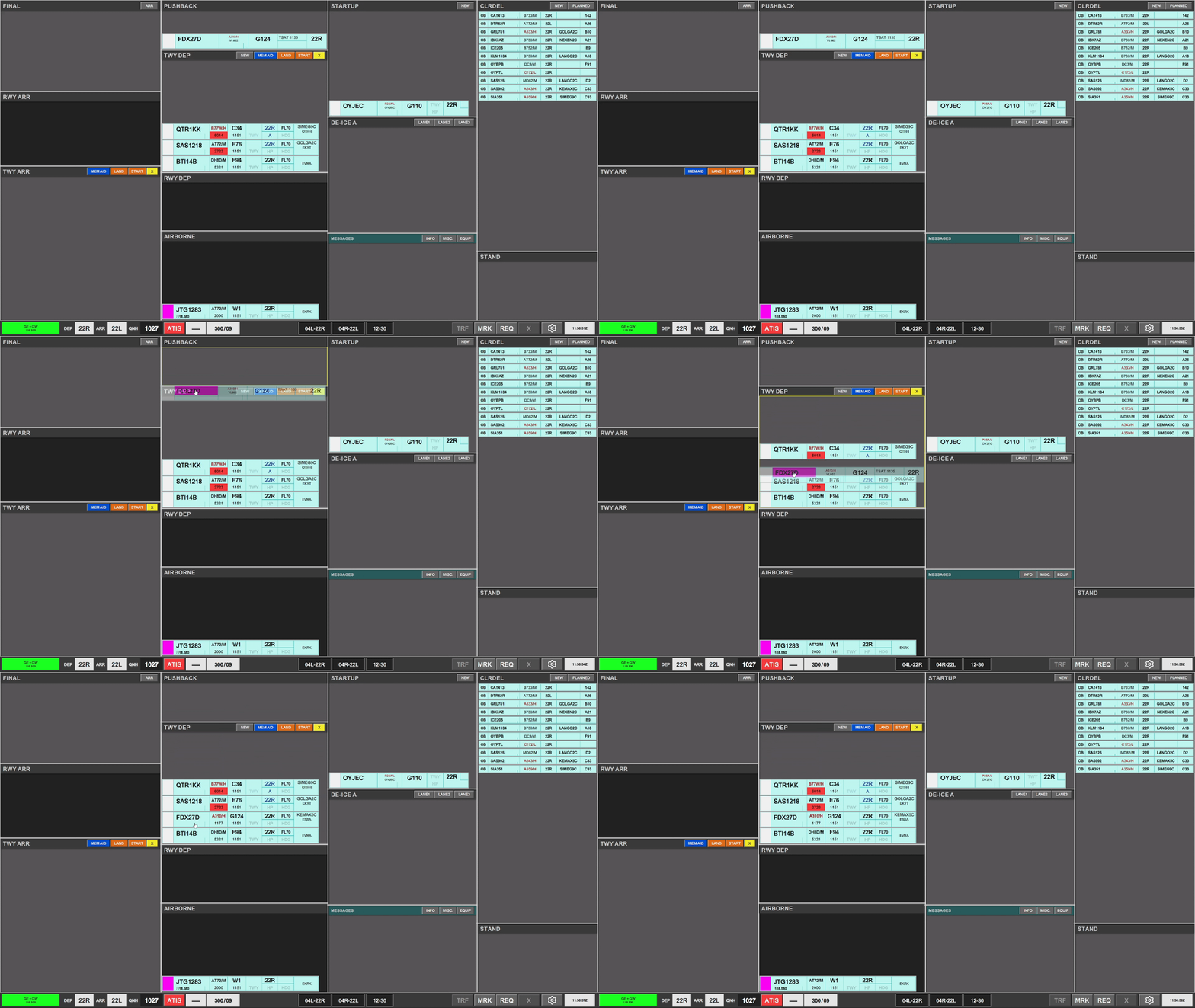
Aircraft assigned taxi instructions, are placed into the TWY DEP bay, and relocated to the appropriate place within the TWY DEP sequence.
2. Procedures
Use of TWY DEP bay.
The TWY DEP bay of GW, includes as well crossing a runway, which is why tactical controls are selectable above the bay. These are
- START: Signifying a departing aircraft is interfering with aircraft taxiing within this bay
- LAND: Signifying a landing aircraft is interfering with aircraft taxiing within this bay
- CROSSING: signying an arrival taxiing aircraft is crossing the path of departing aircraft taxiing within this bay.
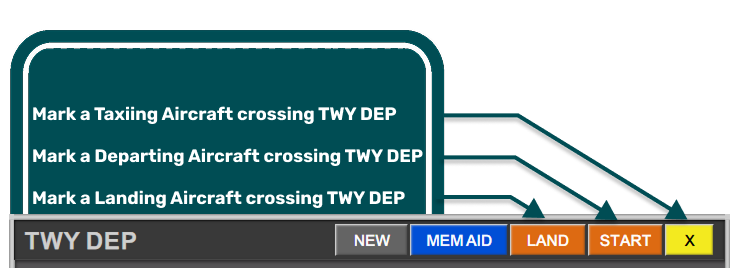
The use of LAND and START strips are mandatory when a landing or departing aircraft is encroaching RWY12/30
The use of CROSSING is encouraged as a tactical tool for traffic crossing TWY DEP bay that is not controlled by GW.
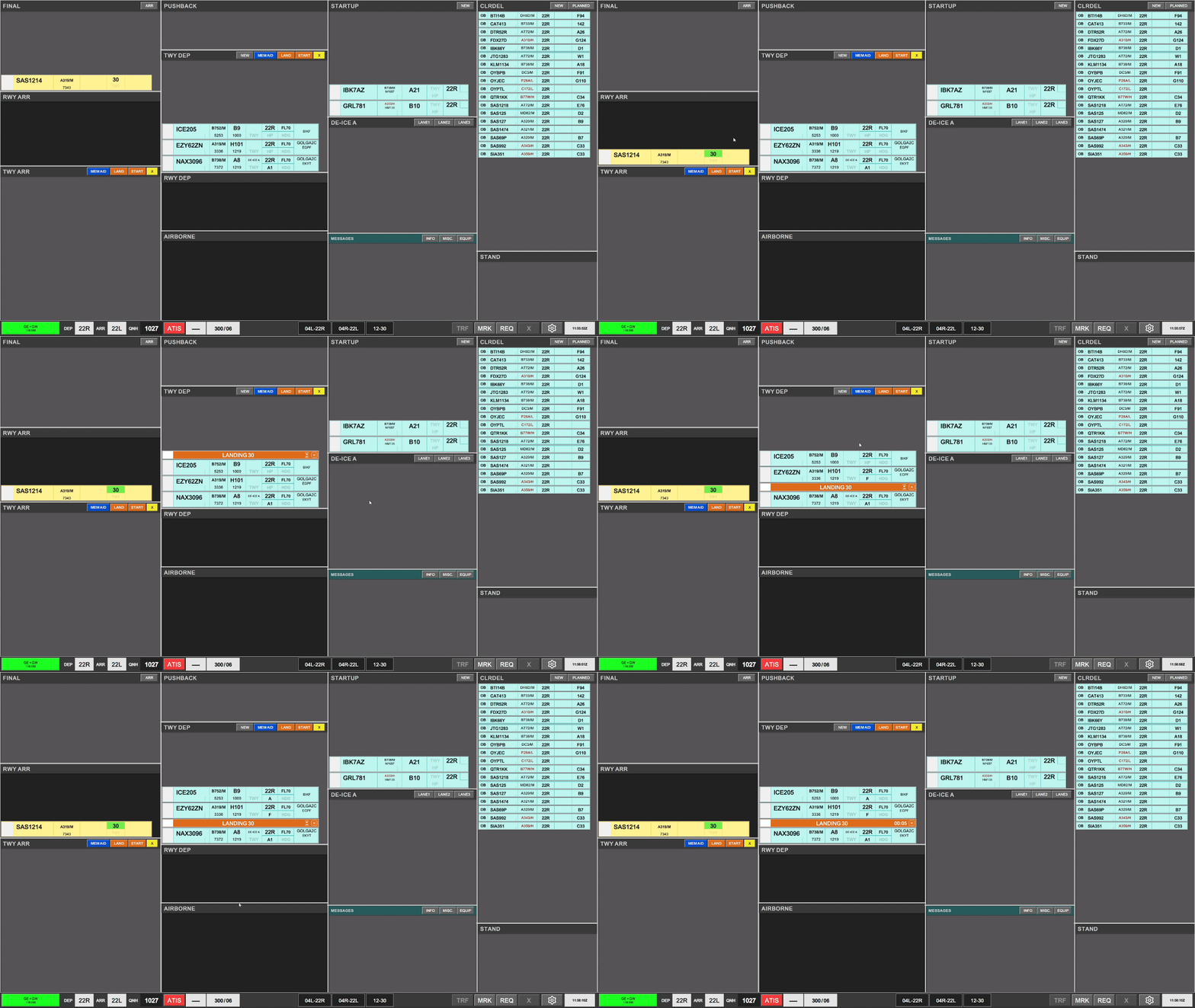
Starting a timer is optional on a LAND/START Tactical Strip
DE-ICE A
If De-Icing is required, this is clearly marked on the strip in blue color and white font “DE-ICE A”. When clearing an aircraft to the platform, the strip must be moved into the DE-ICE A bay, and assigned a lane. LANE 1, LANE 2, LANE 3 strips can be selected to keep overview of who holds where, and will further more provide the frequency for De-Icing the pilots can contact.
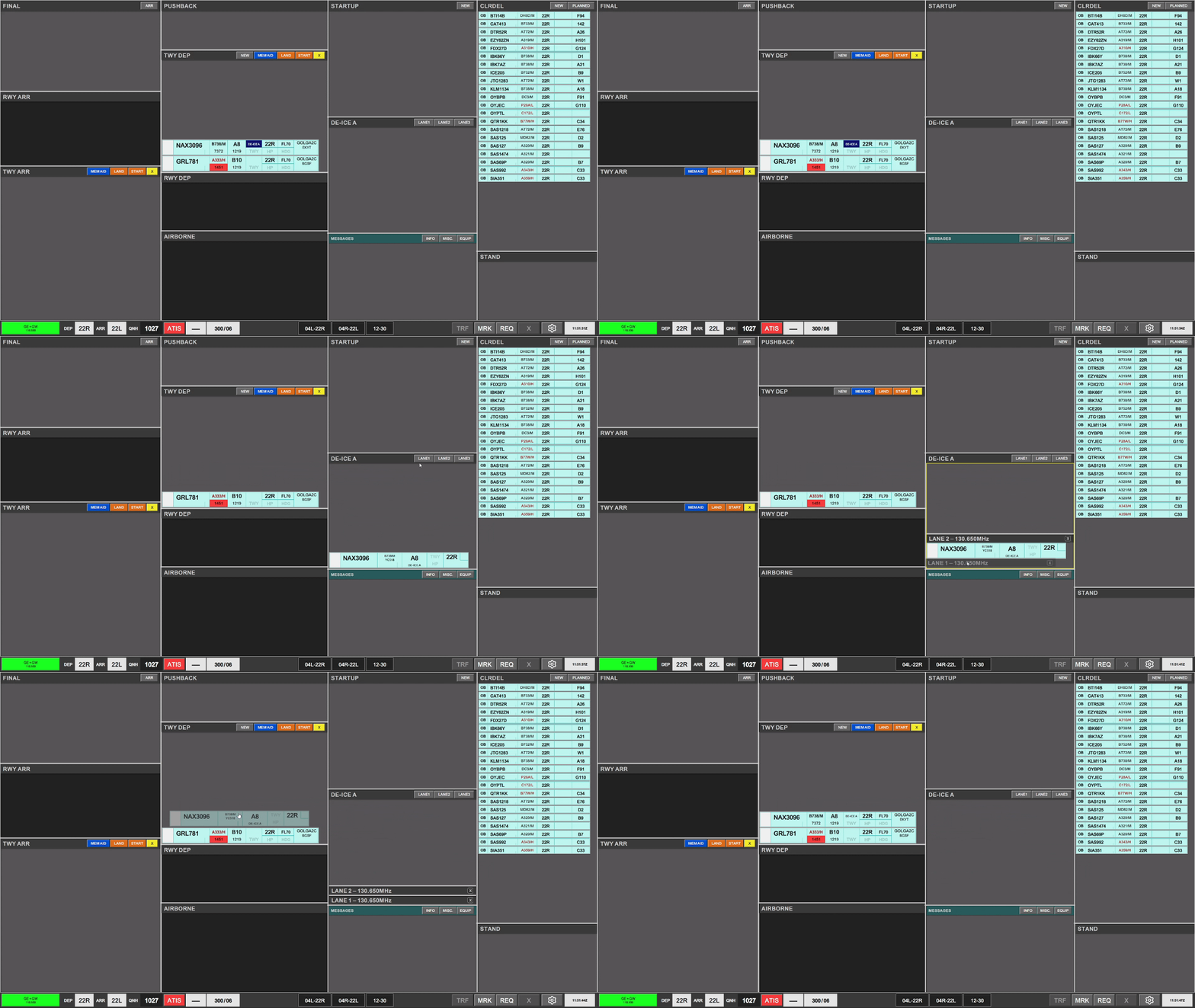
Once aircraft is placed into the DE-ICE A bay the DE-ICE A indication in the strip, will change from highlighted in blue, to a sutble indication, signifying that the de-icing has been completed.
Assigning Holding Points
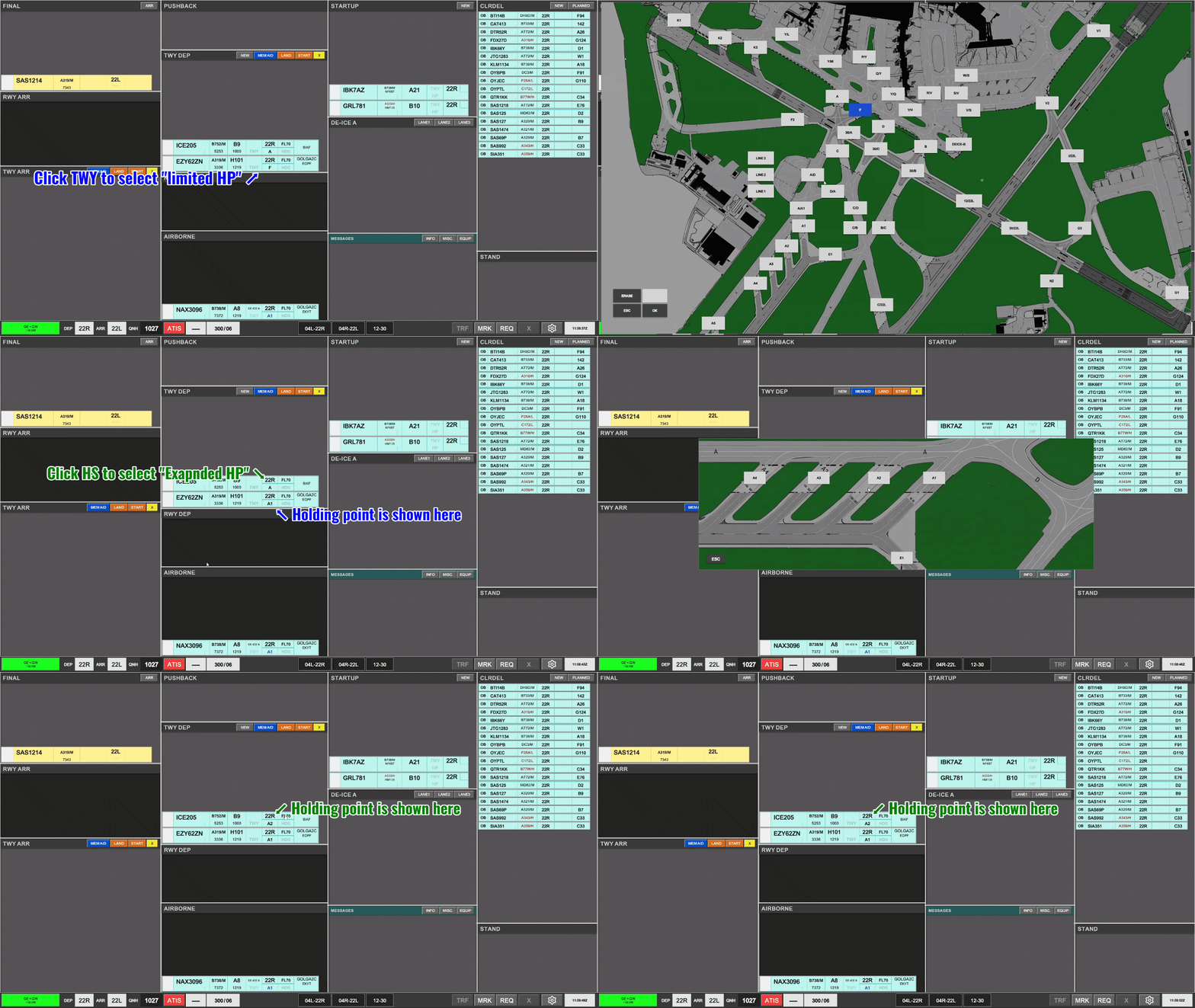
As GW you must assign holding points for the active runway, and manage the sequence.
A HP field must be selected prior to handover. Omittance will assume a full length takeoff (A1, B1, G1, F1).
You have two options for selecting a HP.
Use of TWY ARR bay.
The TWY ARR bay of GW, contains the unique feature of default designated HS limits, to remind controllers of the standard hold short instructions on handover to APRON ARR. It is not required to reselect a HS position, which is already assigned by default in the strip.
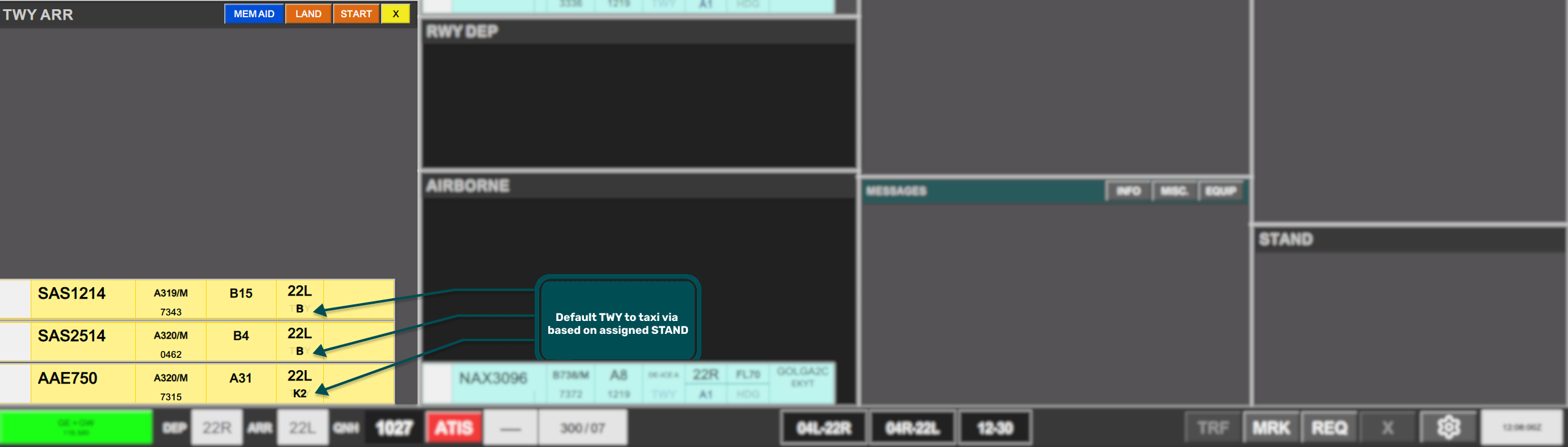
TWY ARR bay or GW includes as well crossing a runway, which is why tactical controls are selectable above the bay. These are
- START: Signifying a departing aircraft is interfering with aircraft taxiing within this bay
- LAND: Signifying a landing aircraft is interfering with aircraft taxiing within this bay
- CROSSING: signying a outbound taxiing aircraft is crossing the path of inbound aircraft taxiing within this bay.
The use of LAND and START strips are mandatory when a landing/departing aircraft is encroaching RWY12/30
The use of CROSSING is encouraged as a tactical tool for traffic crossing TWY ARR bay not controlled by GW.
A strip can appear Gray or already Orange if GW is not involved in such strip. Primary example of this is for 22L operation when inbounds via TWY B is handed directly to APRON ARR as per LAI
Selecting a new stand
If the assigned stand has become occupied (marked by dark orange fill color), prompting selection of a new stand, the STAND field of the strip is selected to open the stand assignment menu.
- The AUTO ASSIGN is marked by default, and clicking either that icon or the ASSIGN will automatically assign a new stand.
- If required a manual stand can be assigned, by navigating the menu.
- A stand carrying a red indication is considered blocked and CANNOT be assigned
- A stand carrying a Yellow indication is considered assigned to an inbound on intermediate approach and SHOULD not be assigned. The final decision for assigning a Yellow marked stand lies with APRON ARR.
Use of AUTO ASSIGN is highly recommended and mandatory if at all possible.
2. Coordination with APRON DEP / APRON ARR / TE / TW
Use of the RTI feature is available:
- Towards APRON DEP for requests of purple strips (Requested by APRON ARR)
- From APRON ARR / TE / TW for all strips. (Requested by GW/GE)
Refer to Chapter X for explanation of the Coordination via RTI
Use of MEMAIDs may be suggested by APRON DEP for certain non-standard instructions. These can be acknowledged by clicking on the hourglass on the right side of the MEMAID strip.
