ESSA AMAN
Start
Load the current DLL in every instance, with SAAMAN above TopSky. Select ESSA ARR/DEP, press Sync EuroScope, and check LIVE.
Glossary
Abbreviation
Use
ETA
Estimated time of arrival.
FF
Feeder fix. The TMA entry point.
STA-FF
Scheduled time of arrival over Feeder fix.
ETA-FF
Estimated time of arrival over Feeder fix.
EAT
Expected approach time.
Operating procedures
ACC acts on lose instructions. Use speed control, vectoring or holding to absorb the delay before the feeder.
Gain is advisory: a more direct routing may be useful when available.
STA-FF is the assigned feeder crossing time. Use it as AMAN’s
EAT (Expected Approach Time) for entry into TMA.
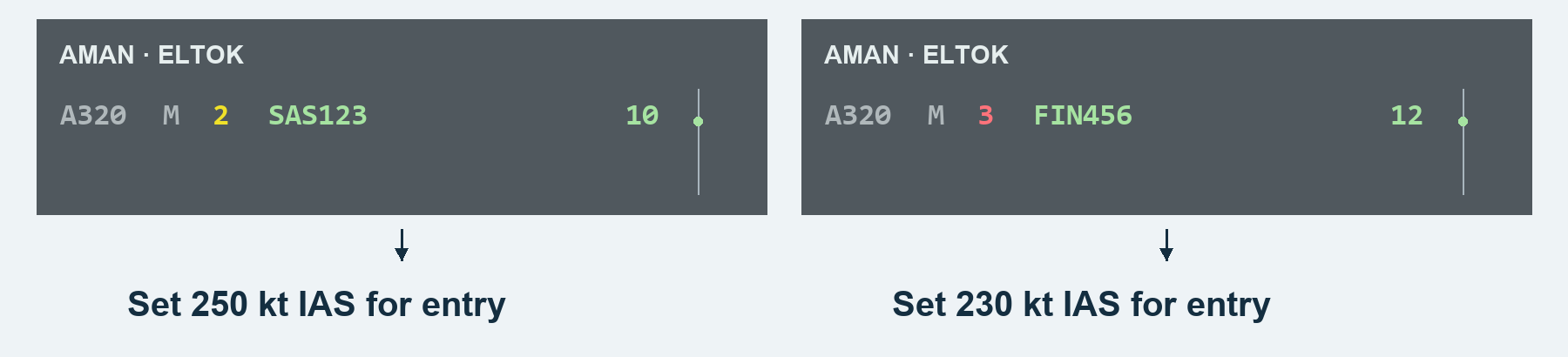
AMAN accounts for wind in its predictions and wake-turbulence categories in its sequencing.
Phases
Phase
Meaning
Unstable
Provisional order and times; change as estimates update.
Stable
Accepted sequence; earlier new arrivals or manual edits can change the order.
Superstable
Near the feeder or inside TMA; the accepted sequence is protected from automatic reordering.
Frozen
Close to landing; the assigned slot is protected.
Landed
Landing confirmed; retained briefly as history.
ACC: gain and lose time
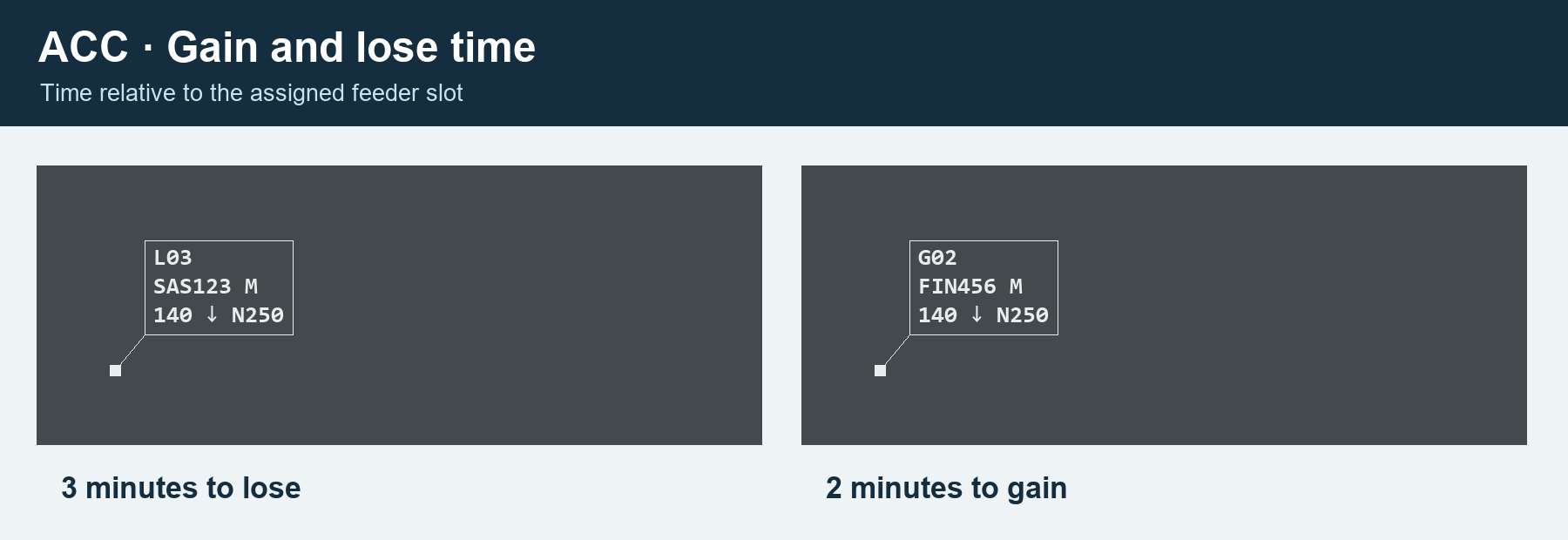
ACC: vectors
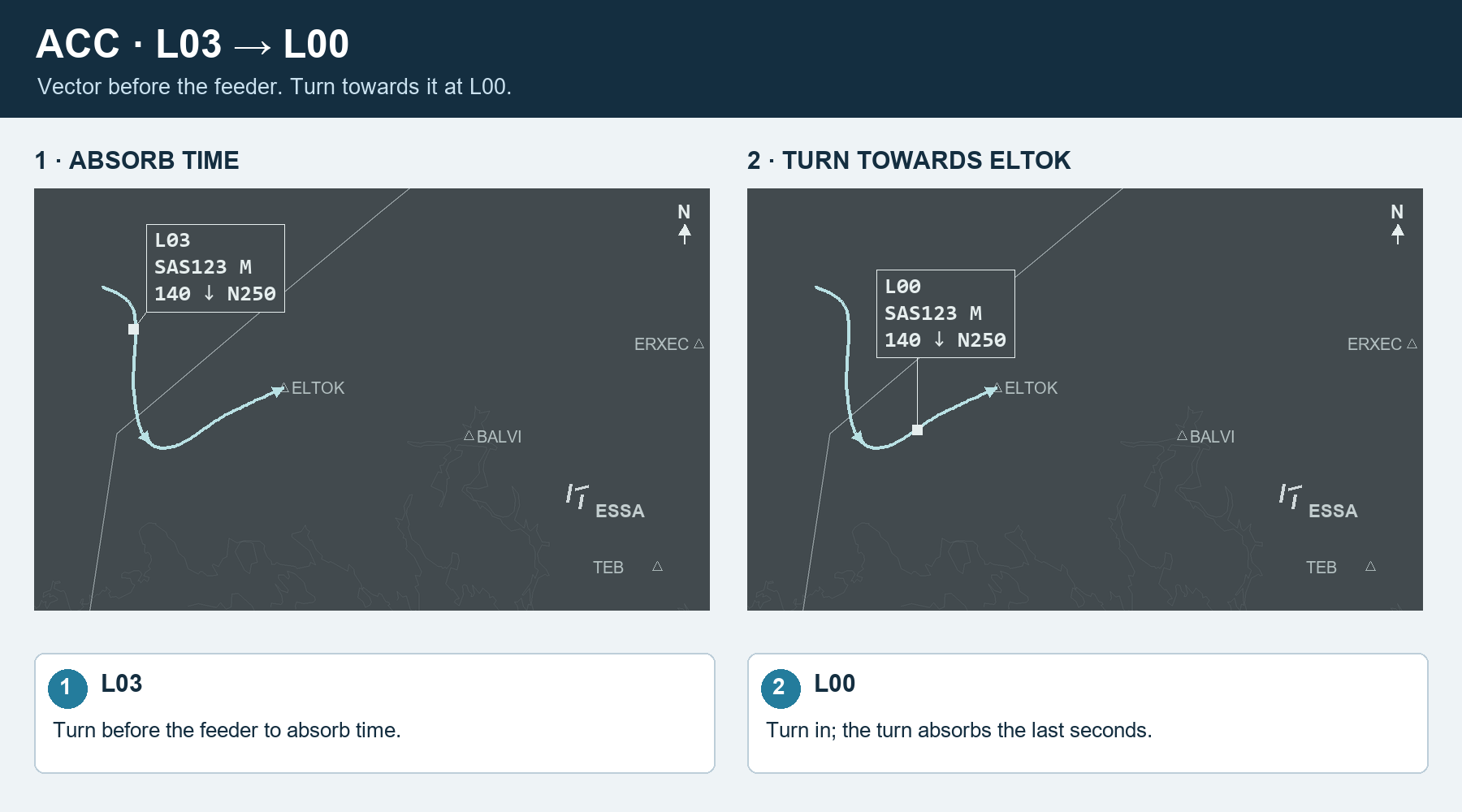
At L00, turn towards the feeder; the turn absorbs the last seconds.
The final sequence is your decision. Click two aircraft on your feeder to swap them; their assigned times and lose/gain instructions update.
ACC: holding
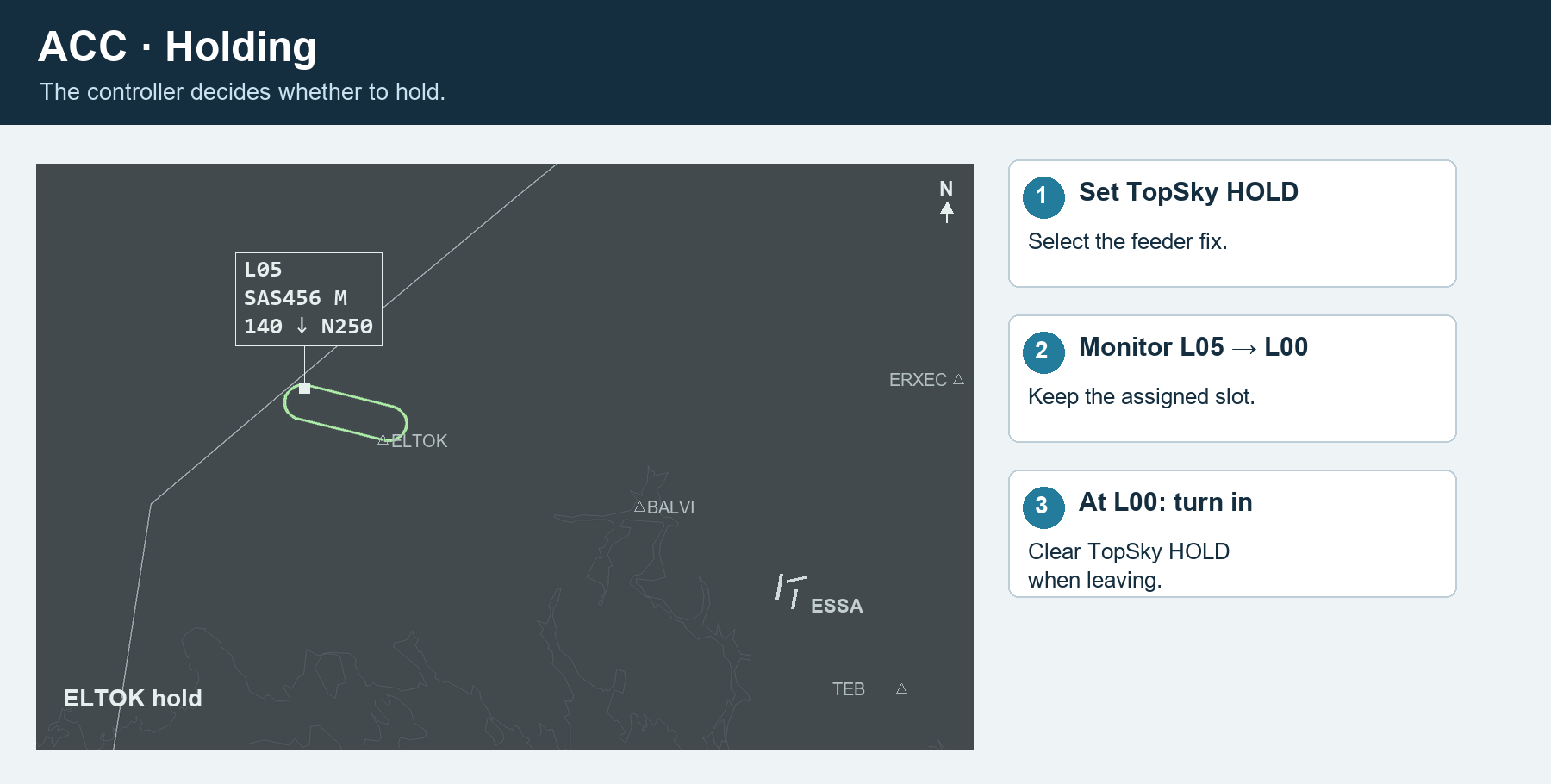
Set TopSky HOLD at the feeder. Monitor the instruction, leave towards TMA at L00, and clear HOLD. Keep the assigned slot; do not repeatedly Recompute during the hold.
APP: landing sequence
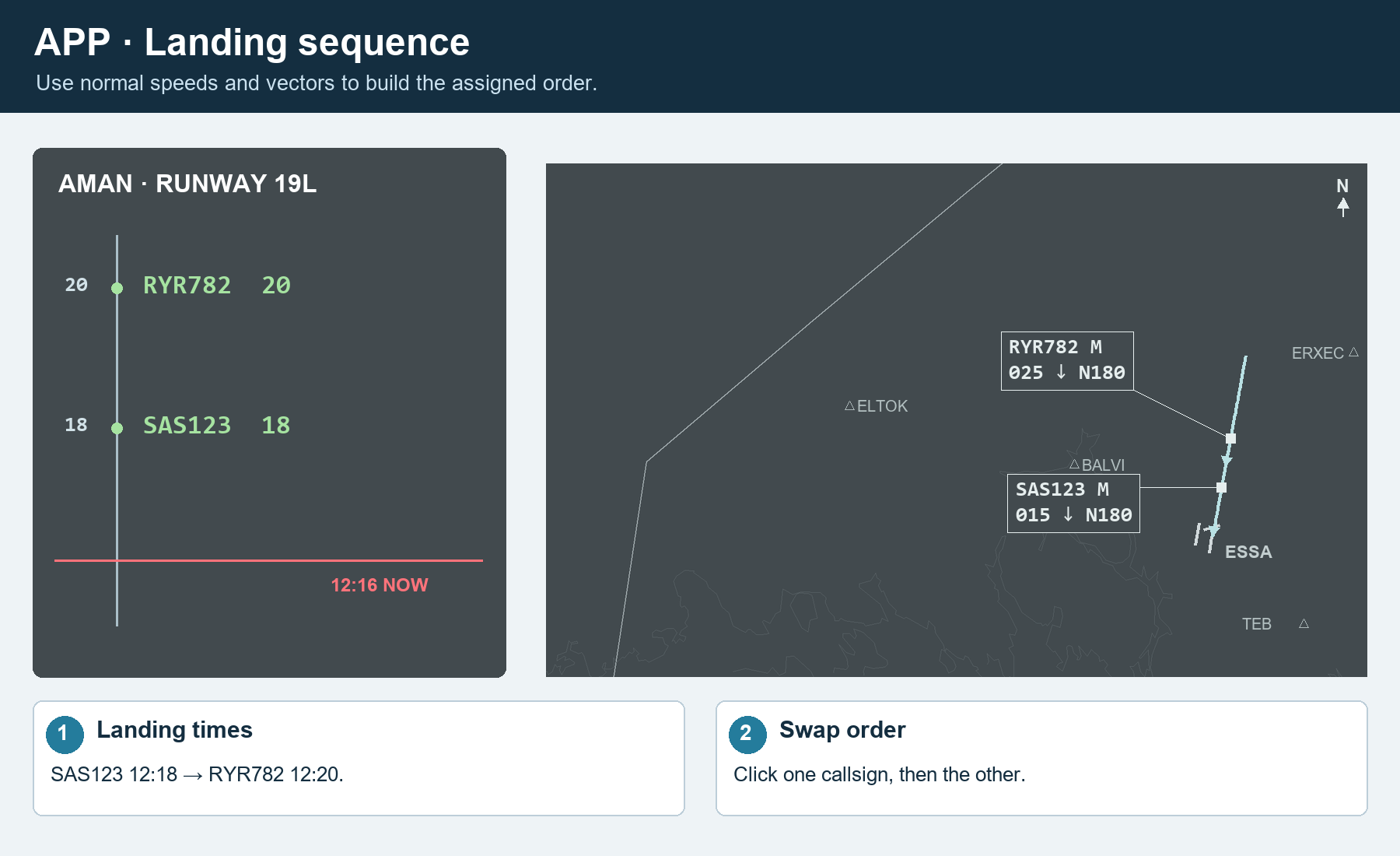
AMAN calculates a suggested sequence using the remaining flight distance along each aircraft’s STAR. The landing sequence remains your responsibility. Use Runway to manage it: click two aircraft to swap, or drag one to the insertion arrow.
Advanced
Views
ACC shows your covered feeders; ARR-W shows ELTOK for ESSA_W_APP. Runway and FLOW show all traffic. The red line is NOW; later times are above it.
Runway configuration
Click the arrival/departure runway box in the header. Sync EuroScope immediately shares your current ESSA ARR/DEP selections. For a manual change, select both runways and press Apply. Use the time slider to apply now or up to 60 minutes ahead. Cancel planned changes removes a pending change.
Rate configuration
Click the rate box in the header. Adjust the arrival-rate slider; the box shows aircraft per hour, seconds and NM. Choose the application time and press Apply. This changes the shared plan.
Button
Use
Information
Current and assigned times;
STA-FF is the assigned feeder time.
Recompute
Accept a fresh estimate after a meaningful direct or approach change.
Refresh delay
Update the instruction while retaining the assigned plan.
Change Runway
Assign this aircraft another runway, including the departure runway.
Arrival route
Select the arrival profile and recompute.
Insert arrival
Place an aircraft before or after another.
Change ETA-FF
Enter a feeder estimate manually.
Maximum delay
Flag an instruction exceeding your selected limit.
De-sequence
Remove temporarily; return it through
Desequenced → Resume.
Missed approach
Remove from the landing sequence for a go-around.
Mark landed / Remove
Correct landing status or remove the entry.
Menu
Use
Empty timeline → Manually add flight
Add an aircraft without a flight plan.
Runway timeline → Insert gap / Insert closure
Reserve an interval. Drag the block or its edges to adjust it.
Missed Approach → aircraft → Reinsert on
Choose
TEB, BALVI, ERXEC or OBCIV for reinsertion.
Coordinations
Send a listed message;
Acknowledge closes incoming messages.
Errors
Read diagnostics and version warnings.
MAESTRO
Connection settings and ACC feeder coverage.
