
ESSA AMAN
Start
Load the current DLL in every instance, with SAAMAN above TopSky. Select ESSA ARR/DEP, press Sync EuroScope, and check LIVE.
Glossary
| Abbreviation | Use |
|---|---|
| ETA | Estimated time of arrival. |
| FF | Feeder fix. The TMA entry point. |
| STA-FF | Scheduled time of arrival over Feeder fix. |
| ETA-FF | Estimated time of arrival over Feeder fix. |
| EAT | Expected approach time. |
Operating procedures
- ACC acts on lose instructions. Use speed control, vectoring or holding to absorb the delay before the feeder.
- Gain is advisory: a more direct routing may be useful when available.
- STA-FF is the assigned feeder crossing time. Use it as AMAN’s EAT (Expected Approach Time) for entry into TMA.
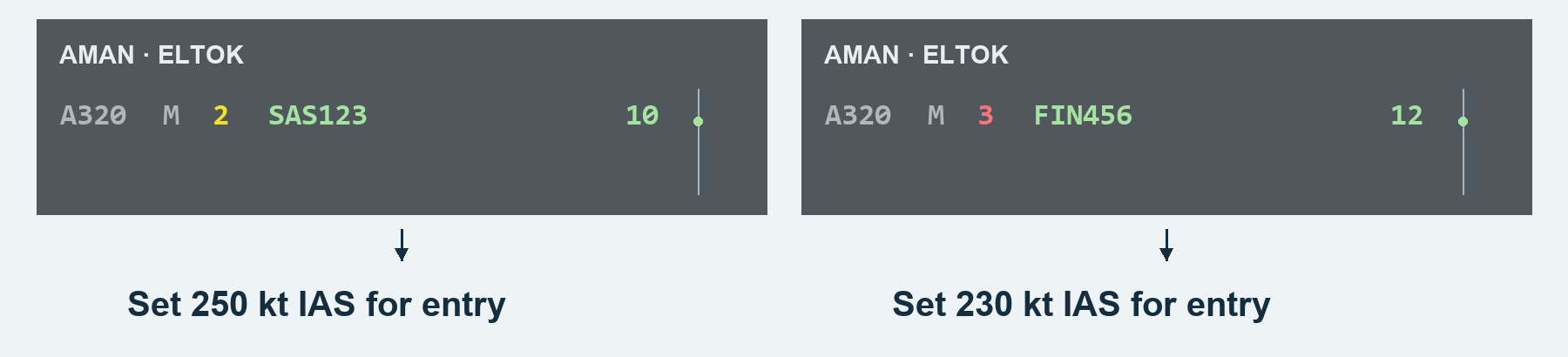
AMAN accounts for wind in its predictions and wake-turbulence categories in its sequencing.
Phases
| Phase | Meaning |
|---|---|
| Unstable | Provisional order and times; change as estimates update. |
| Stable | Accepted sequence; earlier new arrivals or manual edits can change the order. |
| Superstable | Near the feeder or inside TMA; the accepted sequence is protected from automatic reordering. |
| Frozen | Close to landing; the assigned slot is protected. |
| Landed | Landing confirmed; retained briefly as history. |
ACC: gain and lose time
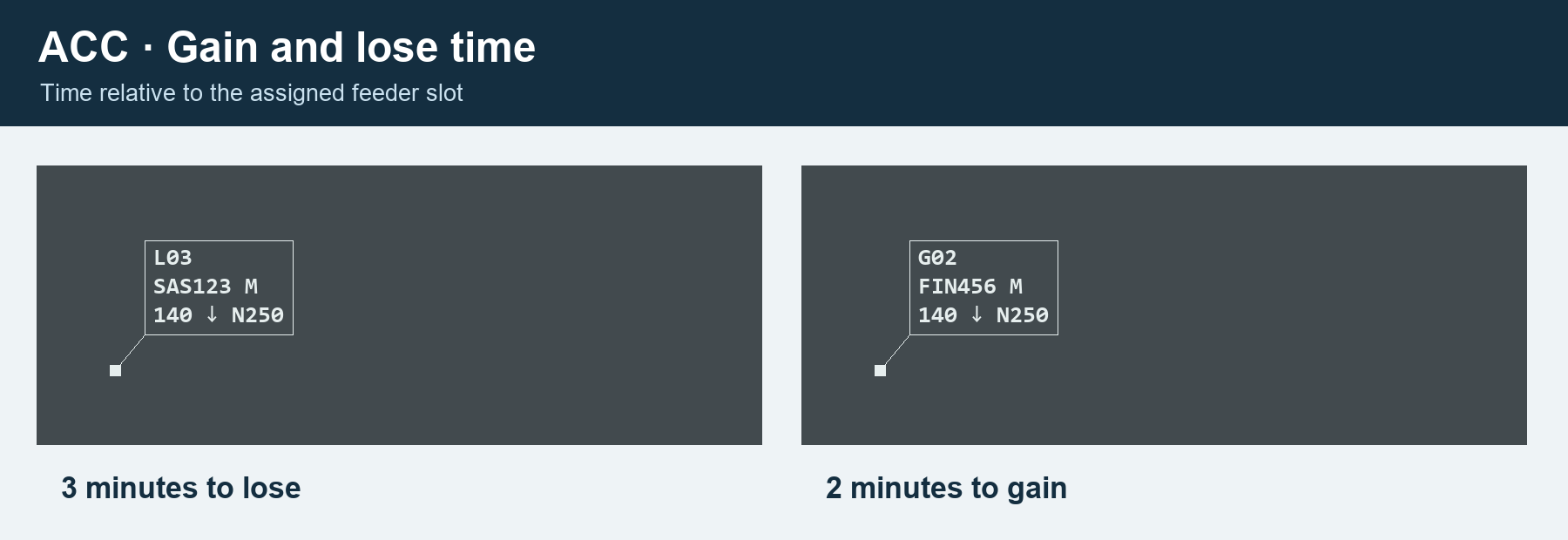
ACC: vectors
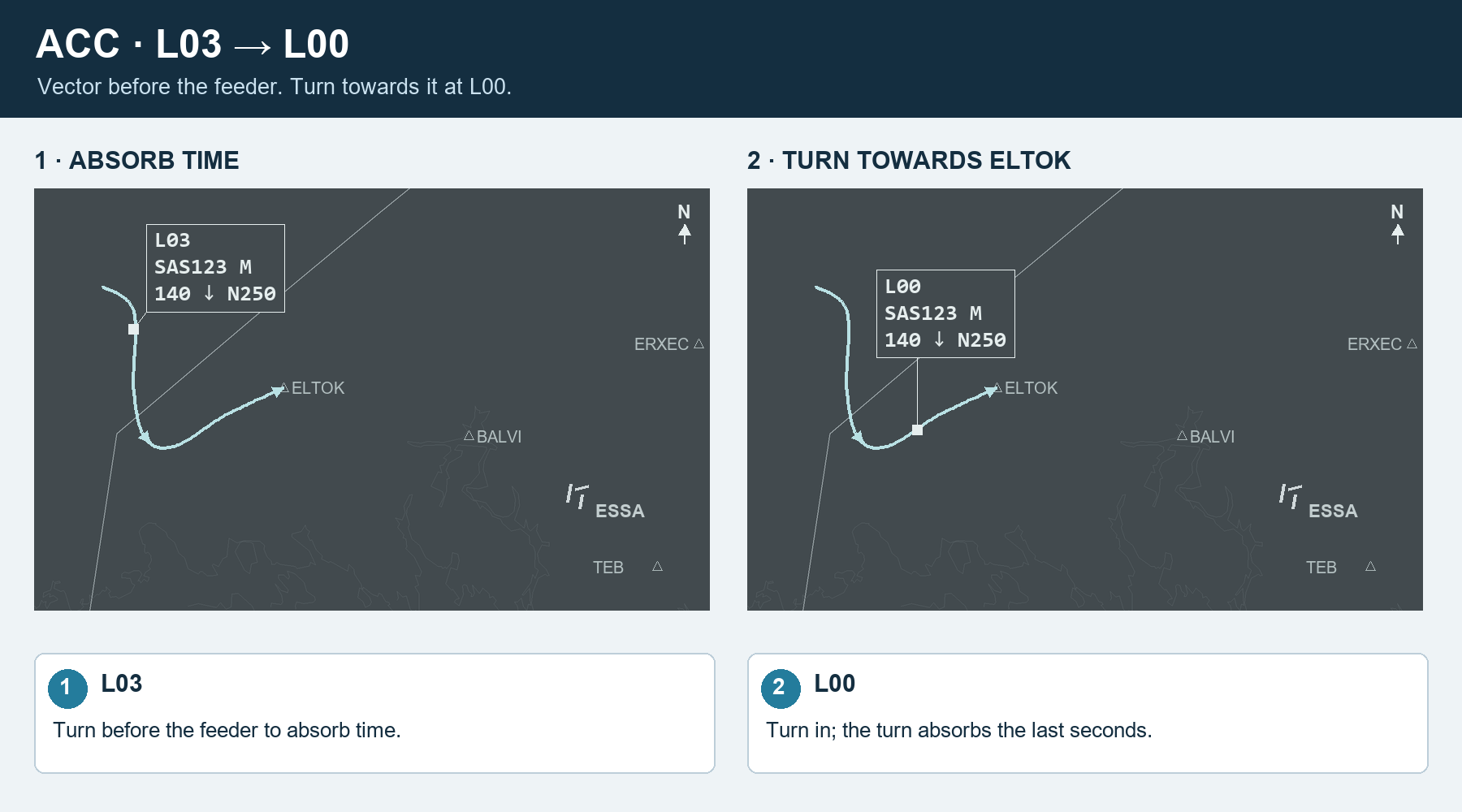
At L00, turn towards the feeder; the turn absorbs the last seconds.
The final sequence is your decision. Click two aircraft on your feeder to swap them; their assigned times and lose/gain instructions update.
ACC: holding
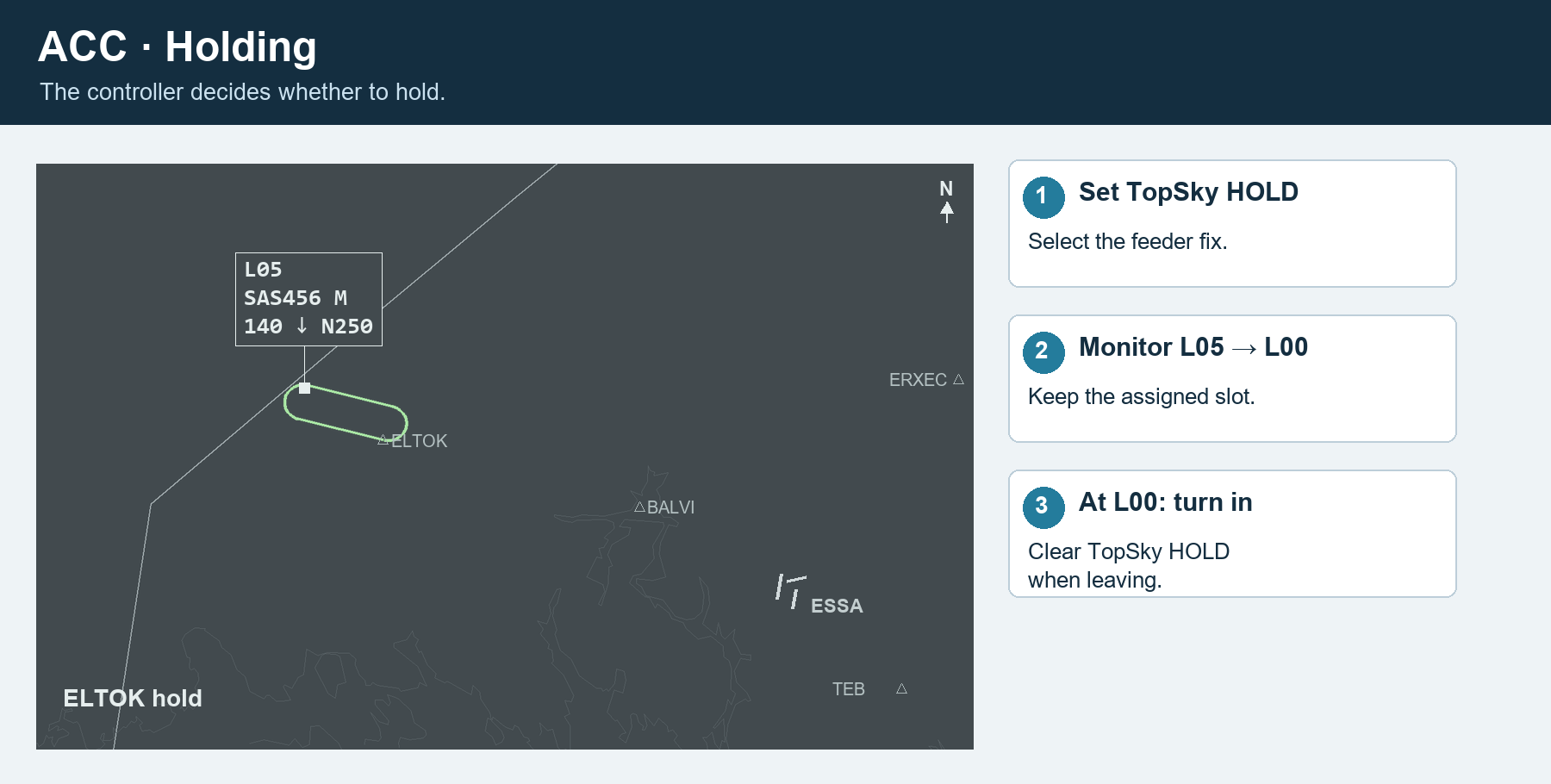
Set TopSky HOLD at the feeder. Monitor the instruction, leave towards TMA at L00, and clear HOLD. Keep the assigned slot; do not repeatedly Recompute during the hold.
APP: landing sequence
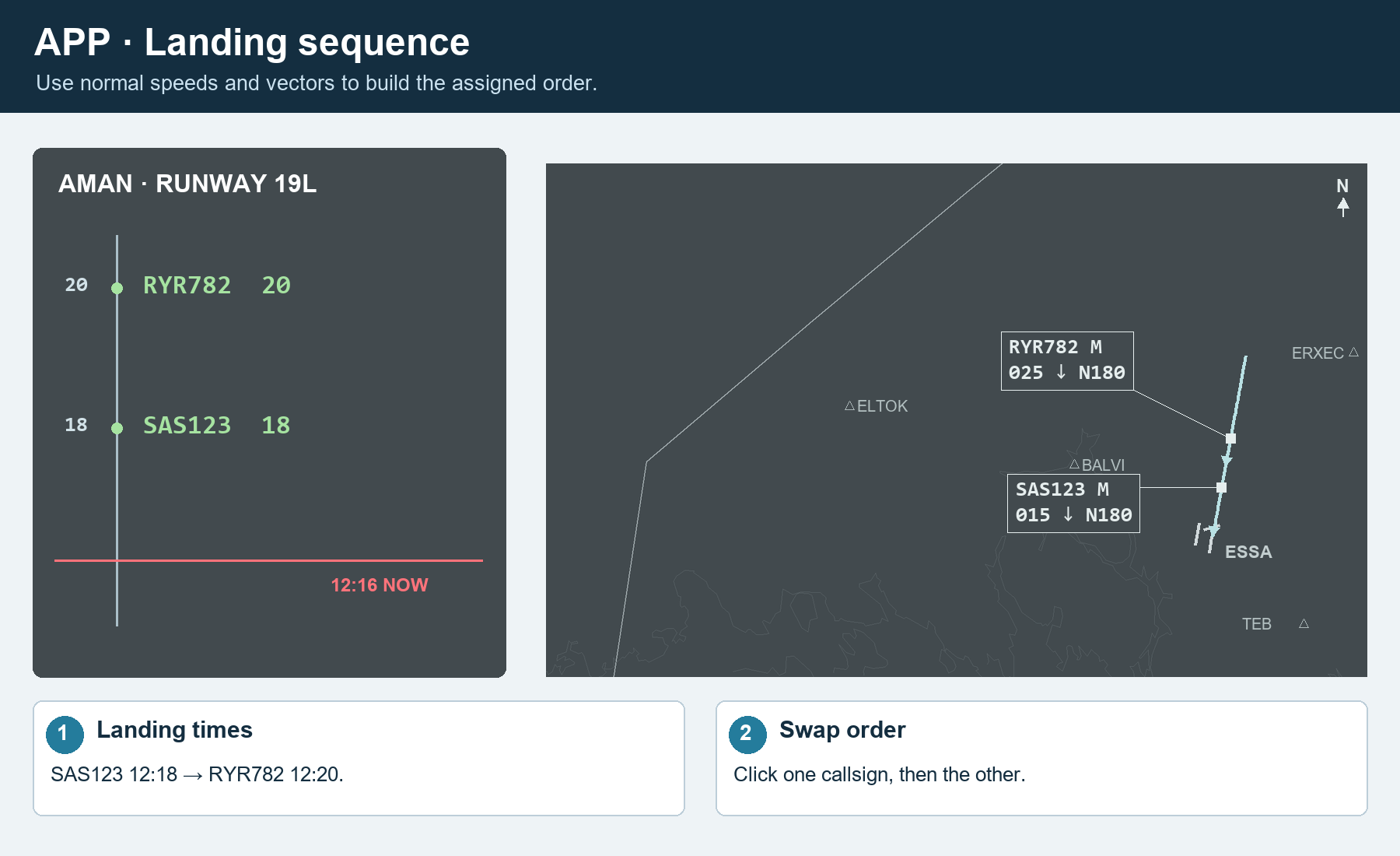
AMAN calculates a suggested sequence using the remaining flight distance along each aircraft’s STAR. The landing sequence remains your responsibility. Use Runway to manage it: click two aircraft to swap, or drag one to the insertion arrow.
Advanced
Views
ACC shows your covered feeders; ARR-W shows ELTOK for ESSA_W_APP. Runway and FLOW show all traffic. The red line is NOW; later times are above it.
Runway configuration
Click the arrival/departure runway box in the header. Sync EuroScope immediately shares your current ESSA ARR/DEP selections. For a manual change, select both runways and press Apply. Use the time slider to apply now or up to 60 minutes ahead. Cancel planned changes removes a pending change.
Rate configuration
Click the rate box in the header. Adjust the arrival-rate slider; the box shows aircraft per hour, seconds and NM. Choose the application time and press Apply. This changes the shared plan.
| Button | Use |
|---|---|
| Information | Current and assigned times; STA-FF is the assigned feeder time. |
| Recompute | Accept a fresh estimate after a meaningful direct or approach change. |
| Refresh delay | Update the instruction while retaining the assigned plan. |
| Change Runway | Assign this aircraft another runway, including the departure runway. |
| Arrival route | Select the arrival profile and recompute. |
| Insert arrival | Place an aircraft before or after another. |
| Change ETA-FF | Enter a feeder estimate manually. |
| Maximum delay | Flag an instruction exceeding your selected limit. |
| De-sequence | Remove temporarily; return it through Desequenced → Resume. |
| Missed approach | Remove from the landing sequence for a go-around. |
| Mark landed / Remove | Correct landing status or remove the entry. |
| Menu | Use |
|---|---|
| Empty timeline → Manually add flight | Add an aircraft without a flight plan. |
| Runway timeline → Insert gap / Insert closure | Reserve an interval. Drag the block or its edges to adjust it. |
| Missed Approach → aircraft → Reinsert on | Choose TEB, BALVI, ERXEC or OBCIV for reinsertion. |
| Coordinations | Send a listed message; Acknowledge closes incoming messages. |
| Errors | Read diagnostics and version warnings. |
| MAESTRO | Connection settings and ACC feeder coverage. |