GW+GE- Operation
Containing Description, Operational Procedures and Submenus of the scope called GW+GE............

1. 1.1General Overview
- Scope name: GW+GE,
- Used by: EKCH_GW_TWR, EKCH_GE_TWR
[PIC]
GW+GE scope is used by Ground West and Ground east only, and contains all relevant tasks for perfroming both inbound and outbound responsibilities on the maneuvering area, as well as top-down coverage when Apron is offline.
Even if both GW and GE is online, the scope stays the same.

1.2 Scope Design
Column 1 ( | Column 2 ( | Column 3 ( | Column 4 ( | |
FINAL | PUSHBACK1 | STARTUP1 |
| |
TWY DEP2 | ||||
RWY ARR | DE-ICE A | |||
TWY ARR |
| |||
RWY DEP | MESSAGES | |||
AIRBORNE | ||||
STAND1 | ||||
TASK BAR | ||||
MESSAGES,1: FINALTo andbe RWYused for Apron W/S/E inbounds, terminated by GW
2: Only aircraft placed in LWR TWY DEP bay from APRON DEP is visible here
3: Aircraft handed directly to APRON ARR from TE during 22L ops, will notremain beas expandedgray upon. Refer to chapter 2 for details on MESSAGES.strips

1.3Apron PLANNED DEPWest/South/East
ColumnWith 4 and the bays associated (OTHERS, SAS, NORWEGIAN) represents planned departures, for use in case there is no delivery or sequence planner is online, resulting in anany apron controller providing the clearance.
The three planned departure bays work in an identical fashion asonline, all other scope. Refer to Chapter 3 - CLR DEL for detailed information on its operation. 
1.4 STARTUP
The bay STARTUP is for aircraft who has received the ATC Clearance, and has reported ready for startup.
Only the appropriate aprons are represented, meaning if GND is online, no planesstartups from Apron North are visible.automatically filtered away, leaving only relevant strips for startup approvals.
Strip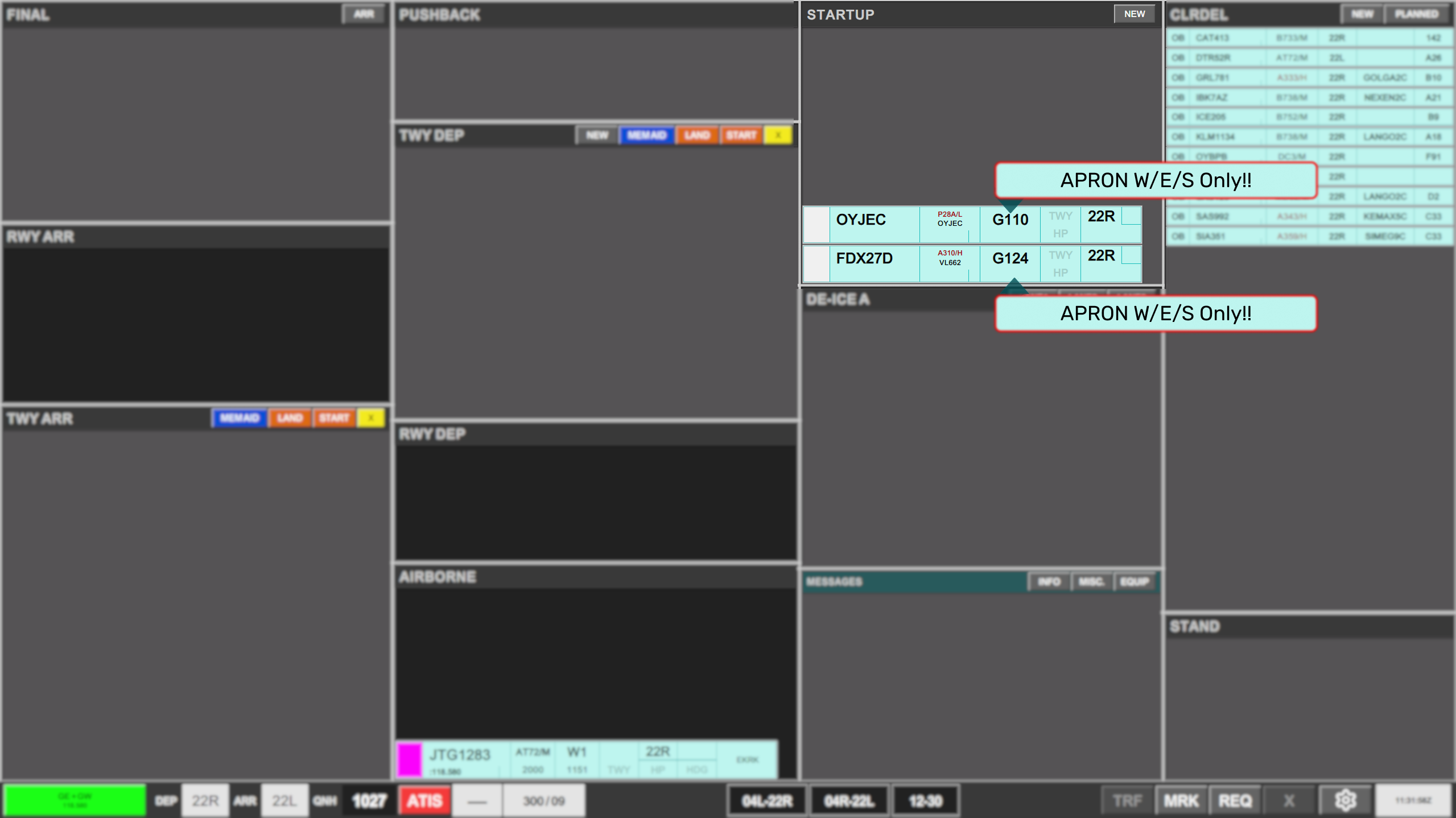
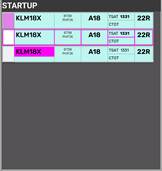
Aircraft beassigned movedtaxi outinstructions, ofare the STARTUP bay andplaced into the PUSHBACKTWY bayDEP whenbay, aand pushbackrelocated instructionto hasthe beenappropriate issued.place within the TWY DEP sequence.
Strip design
Identical to STARTUP strip for AA+AD. Refer to Chapter 5 - AA+AD for expansion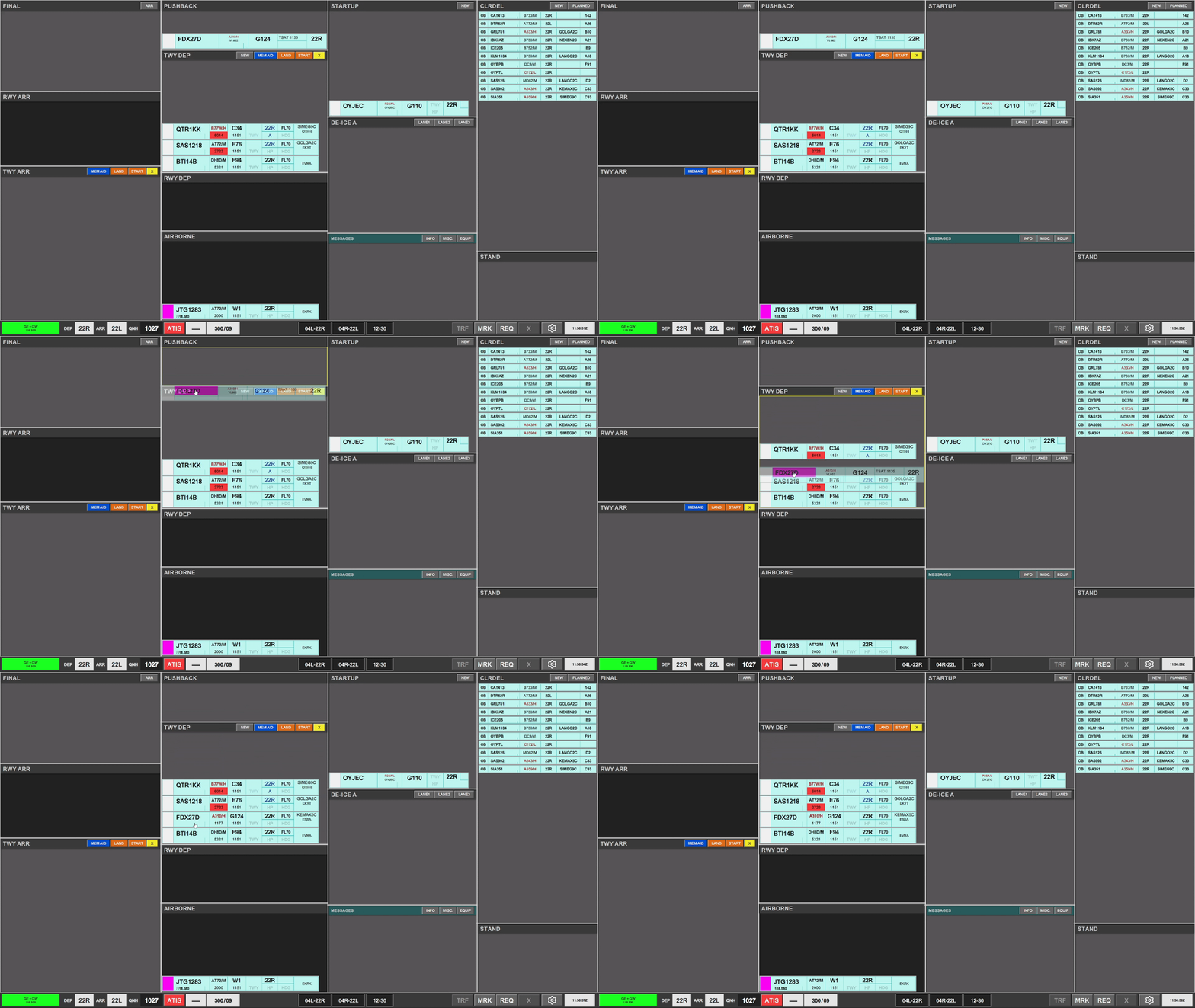
| |||
2. Procedures
|
|
|
|
|
|
|
|
|
|
| |
|
|
| |
|
|
| |
|
|
| |
|
|
| |
|
|
| |



1.5 PUSHBACKbay.
The TWY DEP bay PUSHBACKisof GW, includes as well crossing a runway, which is why tactical controls are selectable above the bay. These are
- START: Signifying a departing aircraft is interfering with aircraft taxiing within this bay
- LAND: Signifying a landing aircraft is interfering with aircraft taxiing within this bay
- CROSSING: signying an arrival taxiing aircraft is crossing the path of departing aircraft taxiing within this bay.
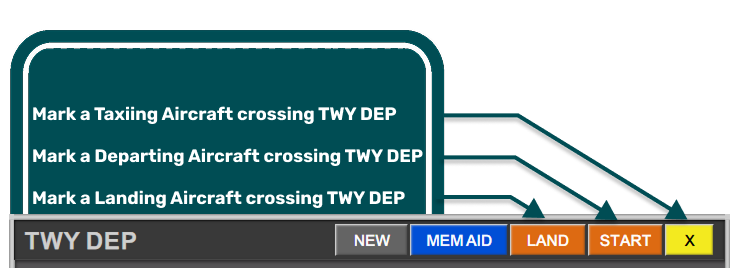
The use of LAND and START strips are mandatory when a landing or departing aircraft is encroaching RWY12/30
The use of CROSSING is encouraged as a tactical tool for aircrafttraffic whocrossing hasTWY receivedDEP pushbackbay instruction.that is not controlled by GW.
Strip design
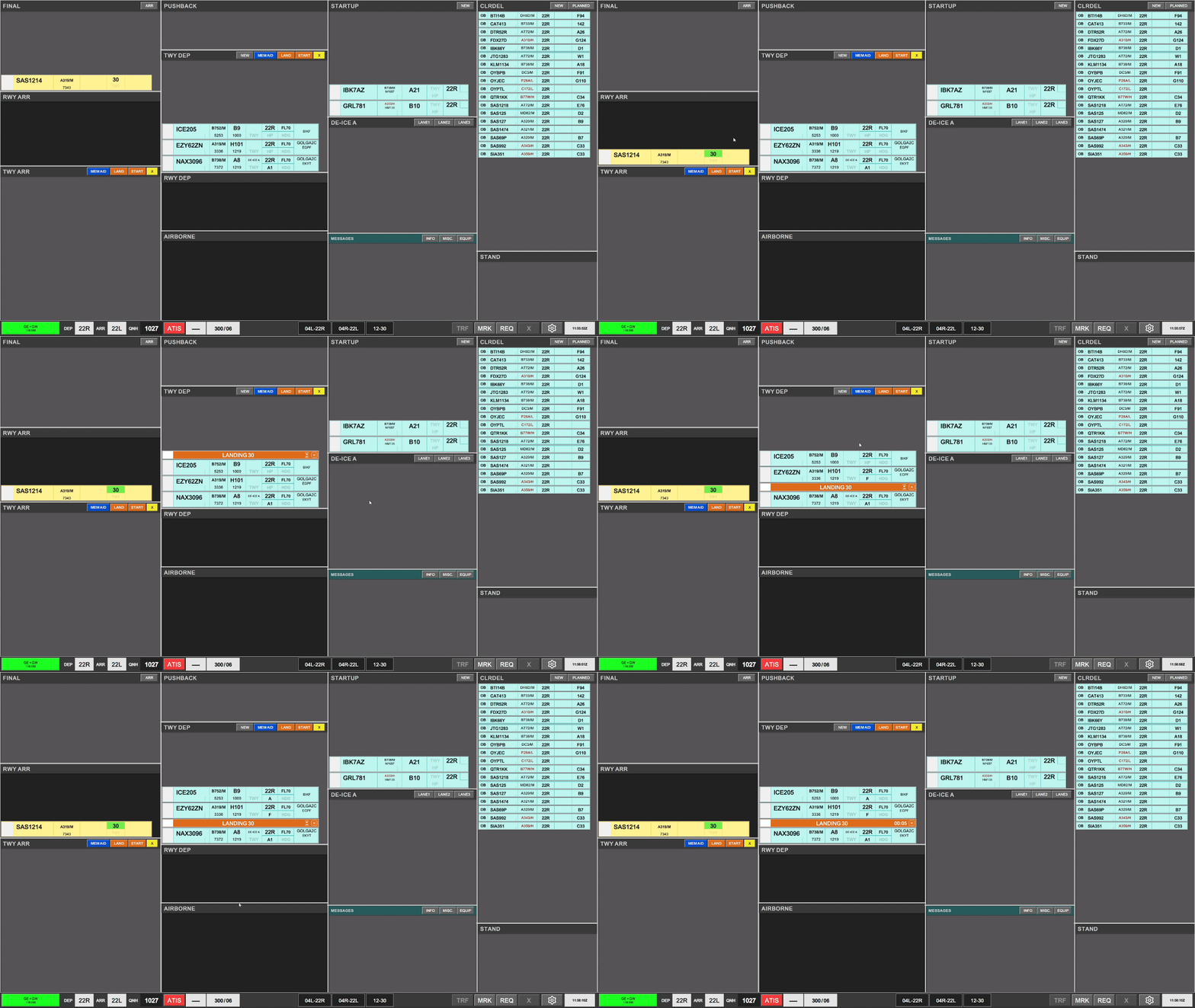
IdenticalStarting toa PUSHBACKtimer stripis foroptional AA+AD.on Refera toLAND/START ChapterTactical 5 - AA+AD for expansionStrip
1.6DE-ICE TWY DEPA
TheIf De-Icing is required, this is clearly marked on the strip in blue color and white font “DE-ICE A”. When clearing an aircraft to the platform, the strip must be moved into the DE-ICE A bay, and assigned a lane. LANE 1, LANE 2, LANE 3 strips can be selected to keep overview of who holds where, and will further more provide the frequency for De-Icing the pilots can contact.
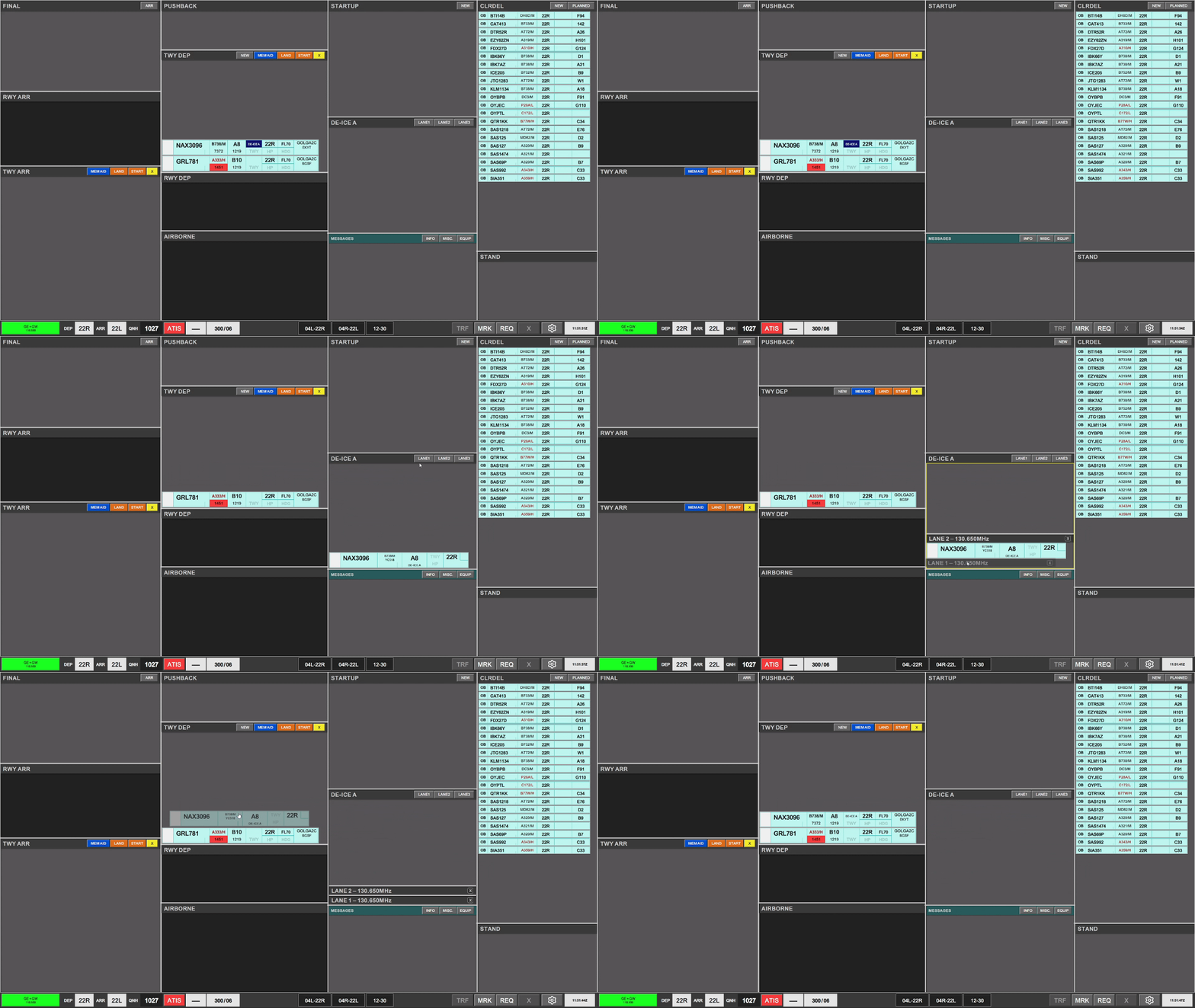
Once aircraft is placed into the DE-ICE A bay TWYthe DEPDE-ICE isA indication in the versionstrip, thatwill TWR see. The main differencechange from thehighlighted apronin versionblue, isto a sutble indication, signifying that the stripsde-icing has abeen larger amount of actions fields, allowing change of headings and altitudes.completed.
Strip design
SIField:Click toInitiateTransfer
.Callsign: Click to Mark.STANDInformational onlyDE-ICE: Infromational that De-Ice is required.Color coding as perChapter 9 - Specific FeaturesHS: Hold Short points (Clearance Limit)HP: Holding Point assignedDEPRWY: Runway of Departure. Click to change.
1.7Assigning TWYHolding ARRPoints
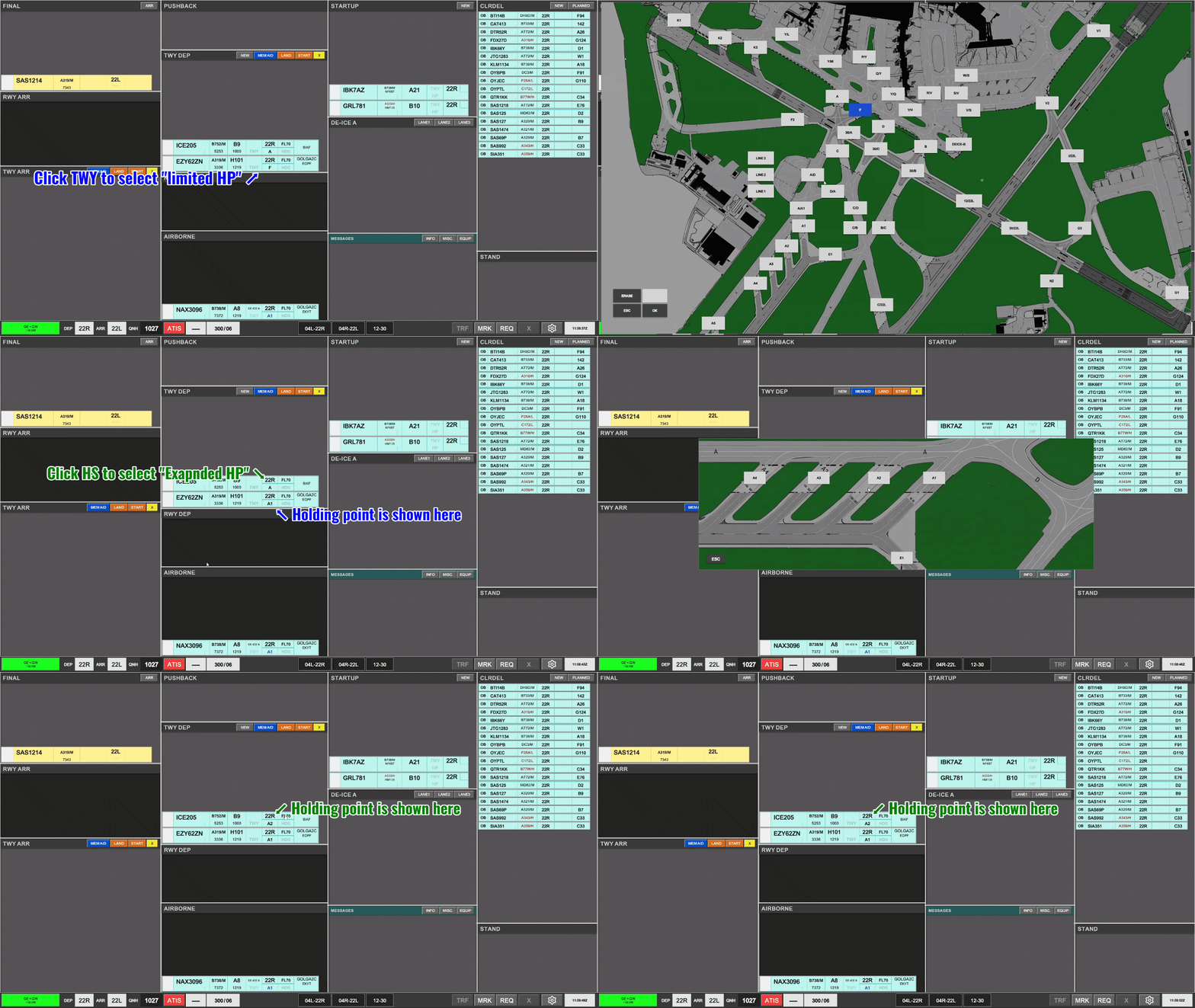
TheAs bayGW TWYyou ARRmust containsassign holding points for the inboundactive aircraftrunway, currentlyand taxiing on a taxiway. The bay contains all strips, includingmanage the ones owned by TE/TW and APRON ARR.
Aircraft remains in TWY ARR bay until on stand. If aircraft is inbound to Apron East, West or South GW+GE must manually place the strip in the STAND bay.
Strip design
SIField:Click toAcceptTransfer
Callsign: Click to Mark or open callsign menu.Type / WTC:Click either to open "FPL MENU"ARRRWY: Informational onlyHS: Hold Short points (Clearance Limit)STANDInformational onlyTBD
1.8 STAND
The bay STAND contains the inbound aircraft which is on stand, and has been moved there MANUALLY by a controller.sequence.
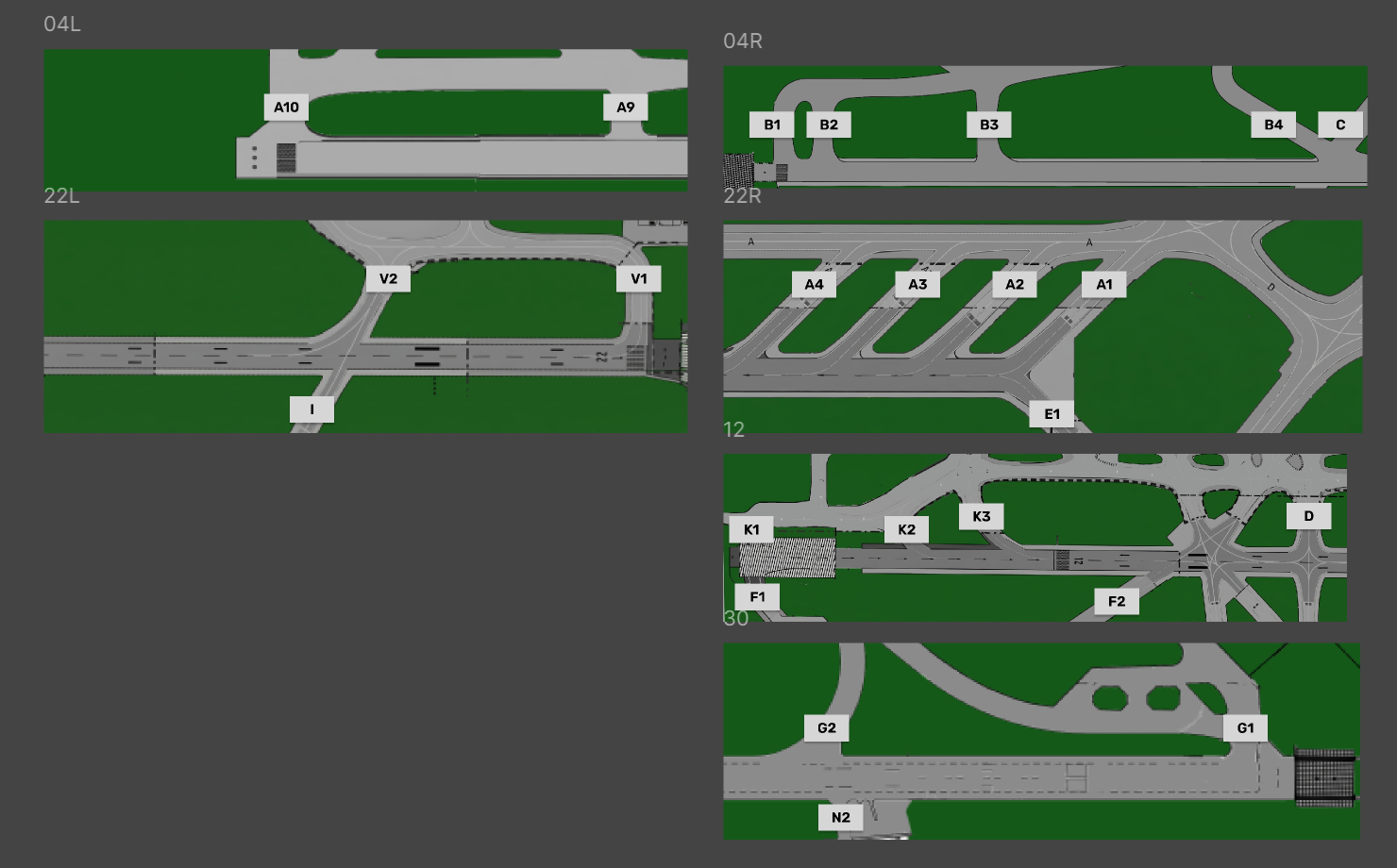
AircraftA remainsHP infield STANDmust baybe selected prior to handover. Omittance will assume a full length takeoff (A1, B1, G1, F1).
You have two options for 3selecting minutesa afterHP.
- HS Menu, which
thewillstripallowisforremovedafrom"limited"exsistence.amounttheof3holdingminutepoints,delayalongside other Hold Short options - HP Menu, which specifically allows
controlleranto"expanded"move aircraft back in caseselection ofinadvertantholdingmovement to STAND bay.points.Strip designALL Informational


2.1UseStartupofandTWYPushbackARR bay.StartupTheandTWYPushbackARRarebaydoneofinGW,identicalcontainsfashionthe unique feature of default designated HS limits, toapronremindand will not be discussed here.
2.2 TWY DEP & Transfer.Strip is usually handed over from APRON DEP to GW+GE. The strip should be cleared to a holding point, either by:Clicking HP and select the appropriate holding point, orClicking HS and select onecontrollers of thetaxiwaysstandardthathold short instructions on handover to APRON ARR. It is not required to reselect aholdingHSpoint.
Whenwhichaircraftisapproachesalready assigned by default in theholding point, transfer to appropriate controller in accordance with LAIstrip.2.2.1 Coordination FeatureAs GW you should set a sequence and transfer to appropriate holdings points for the sequence. This includes assigning holding points to flights with CTOT, which may have to wait.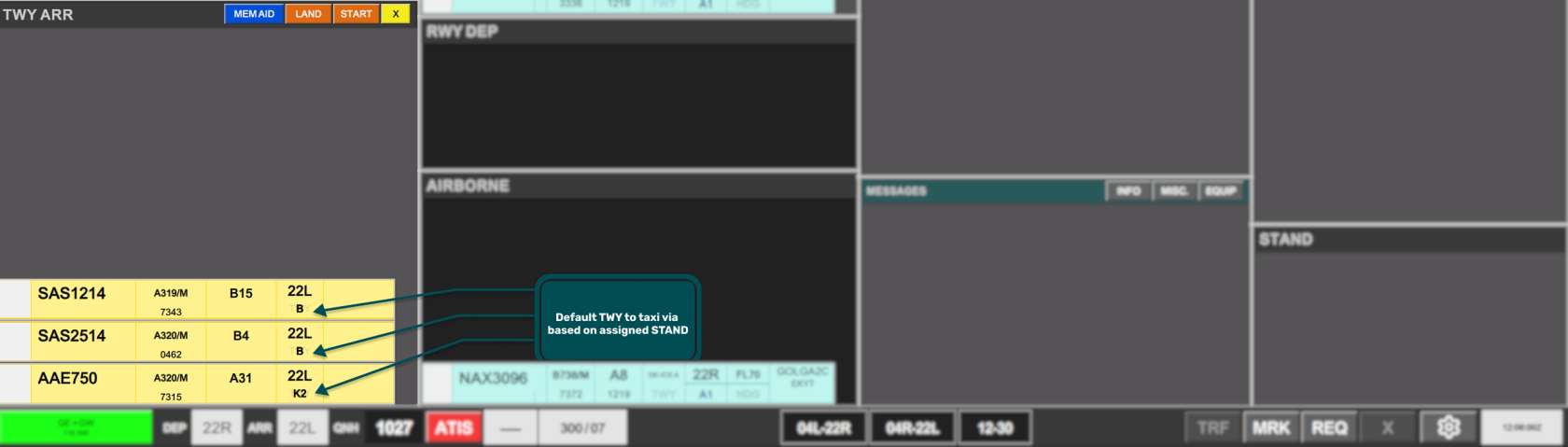
TW+TE(NextTWYController)ARRMaybaychooseortoGWcoordinateincludes as well crossing adifferentrunway,holdingwhichpointisthanwhyyoutacticalhavecontrolsassigned,arebyselectable above theusebay.ofThesethe incoming coordination feature.areThis is recognized by the HP area of your strip becoming yellow. To accept the coordination:ClickSTART:onSignifyingHP,aanddepartingselectaircraft is interfering with aircraft taxiing within this bay- LAND: Signifying a landing aircraft is interfering with aircraft taxiing within this bay
- CROSSING: signying a outbound taxiing aircraft is crossing the
samepathholdingofpointinboundasaircraftTE+TWtaxiingrequestedwithinyouthisto use.bay.
The
yellowusebackgroundofwill then disappearLAND andtheSTARTcoordinationstrips are mandatory when a landing/departing aircraft iscomplete.encroaching RWY12/30The use of CROSSING is encouraged as a tactical tool for traffic crossing TWY ARR bay not controlled by GW.
YoumustAmovestripstripscan appear Gray or already Orange if GW is not involved incorrectsuchorderstrip.soPrimarybottomexampleoneof this istransferedforfirst,22L operation when inbounds via TWY B is handed directly tocommunicateAPRONcorrectARRsequence.as per LAI
2.3SelectingInboundaTaxinew stand
darkInboundIfaircrafttheareassignedtransferedstandtohasyoubecomeinoccupiedaccordance(markedwithbyLAI.
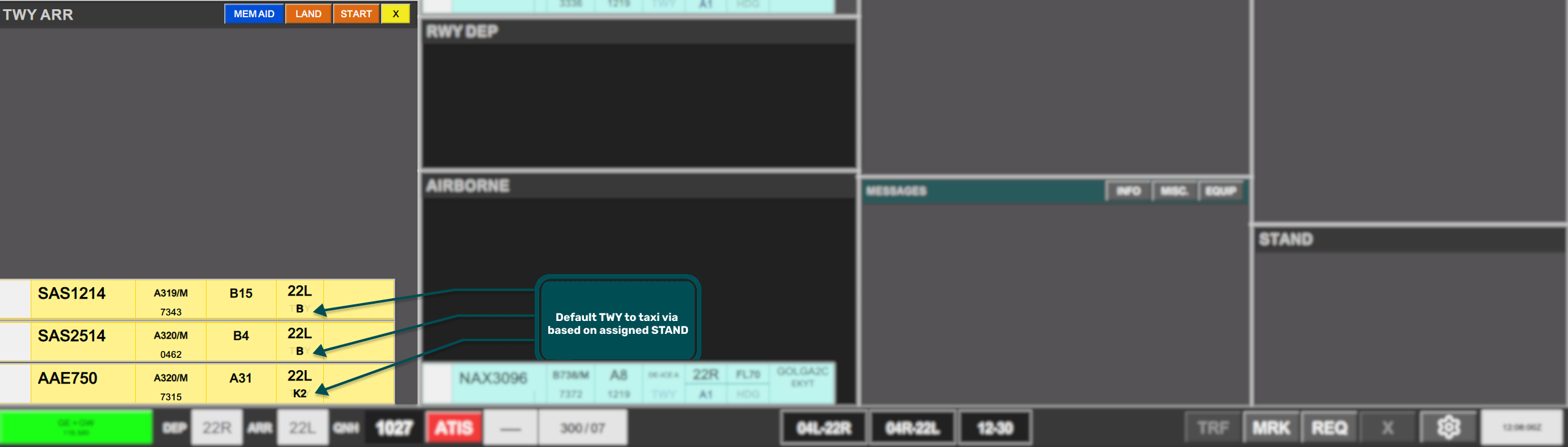
fill2.3.1orangeGeneralThecolor),HSprompting selection of a new stand, the STAND field of thearrivalstripwillisshowselectedyouto open thedefaultstandtaxiwayassignmentrouting towards apron. You do not need to select this again, if you follow this standard routing.menu.Transfer strip to appropriate apron as per LAI.
AUTO2.3.1- The
Transfer
TransferASSIGN isinitiatedmarkedviaby default, and clicking either that icon or theSIASSIGNFieldwilltoautomaticallytheassignappropriateaApronnewcontroller.stand. - If
Inrequiredcaseathemanualwrong identifier is shown, usage of the quick transfer buttons in the top part of the baystand can beused to change the default next controller on the strip.
2.2.2 Apron East/SouthFor flights destined for Apron East (Cargo/MIL) or South (GA), usage of the "Crossing Strip" is needed to solidify coordiantion for crossing 04R/22L with TE.Once crossing has been completed, GW+GE, must assume if needed the crossing strip, and remove it.2.2.1 Coordination FeatureAs GW you should use standard taxi routings to apron unless otherwise coordinated.APRON ARR (Next Controller) May choose to coordinate a different feeder route than you haveassigned, bythe use ofnavigating theincomingmenu. - A
coordinationstandfeature.carrying aThisred indication isrecognizedconsideredbyblockedtheandHSCANNOTareabeofassigned - A
yourstandstripcarryingbecomingayellow.YellowToindicationacceptistheconsideredcoordination:assignedClickto an inbound onHP,intermediate approach andselect
thenotsamebeHSassigned.instructionTheasfinal decision for assigning a Yellow marked stand lies with APRONARR requested you to use.ARR. - Towards
CROSSING - From APRON ARR / TE / TW for all strips. (Requested by GW/GE)




The
Use backgroundof willAUTO thenASSIGN disappearis highly recommended and themandatory coordinationif isat complete.
You must move strips in correct order so bottom one is transfered first, to communicate correct sequence.

possible.

3.12. Coordination with APRON DEP / APRON ARR
/ TE / TW
TheUse ATCof Clearancethe dialogueRTI feature is divided into three sectors. Departure section, Arrival Section and general information.available:
3.2
APRON DEP for requests of purple strips (Requested by APRON ARR)The ATC Clearance dialogue is divided into three sectors. Departure section, Arrival Section and general information.
3.3 LAND/START
The ATC Clearance dialogue is divided into three sectors. Departure section, Arrival Section and general information.
3.4 MEM AID
The ATC Clearance dialogue is divided into three sectors. Departure section, Arrival Section and general information.
3.4 NEW
Open up an empty flightplanRefer to createChapter aX newfor strip.explanation Cannotof the Coordination via RTI
Use of MEMAIDs may be ansuggested alreadyby existingAPRON callsign!
3.4for PLANNED
certain Typenon-standard ininstructions. These can be acknowledged by clicking on the callsignhourglass on the right side of an existing aircraft, to find the flightplanMEMAID and put it in the CLR DEL bay. (planned departures).
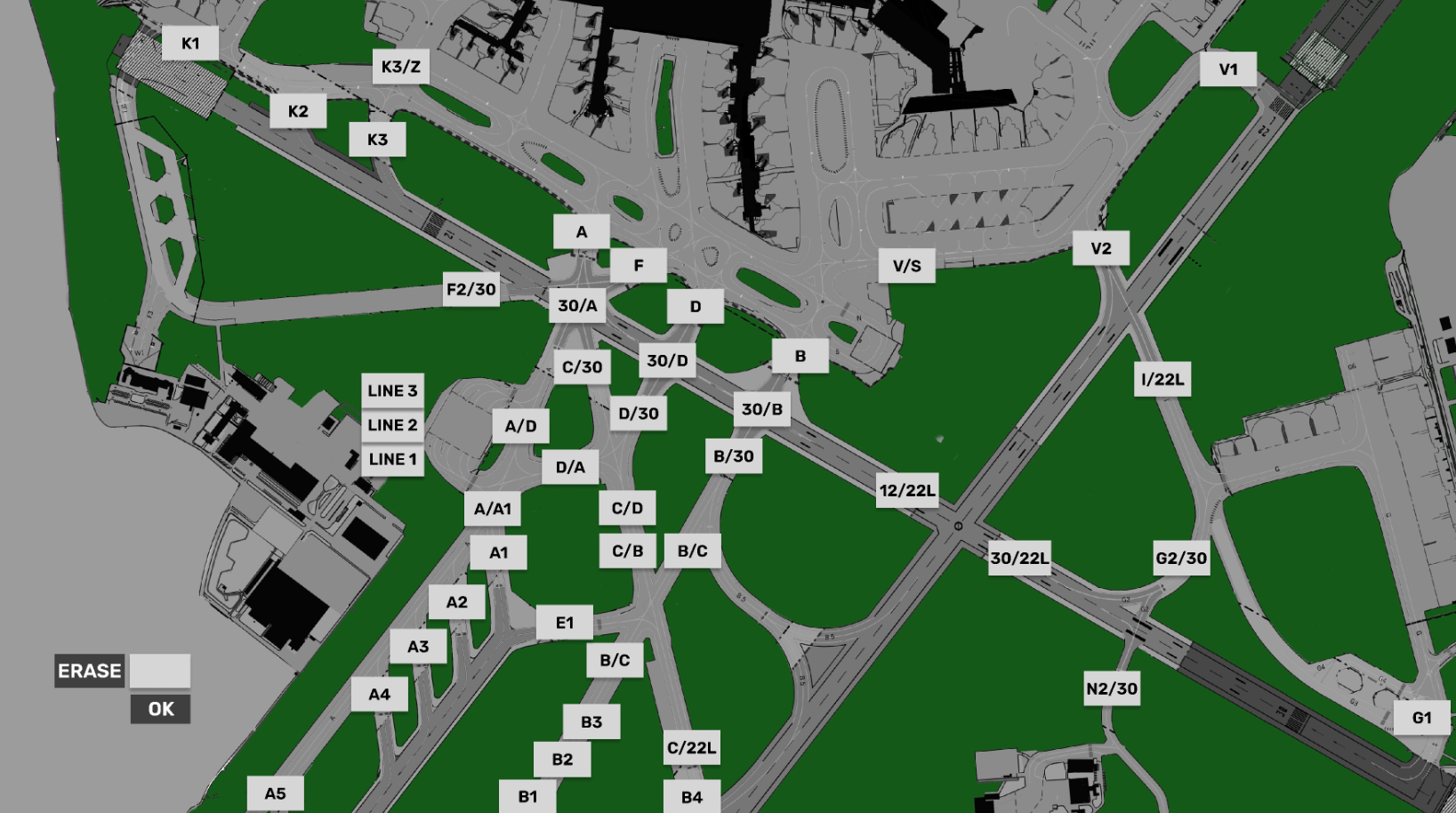
3.5 TWR HS-TAXI CHART
3.6 Holding Point CHART